sub list items edit mode

When a parent item of a list is opened with EditForm for editing and having sub lists with items, a double click at the sub list item should open the sub list item directly in edit mode.
-

Joerg, If I am understanding this correctly...
You have a Parent Item's Edit Form open, which includes a Child ListView...and you want to be able to Edit a Child Item, by 2x clicking it from the Child ListView...
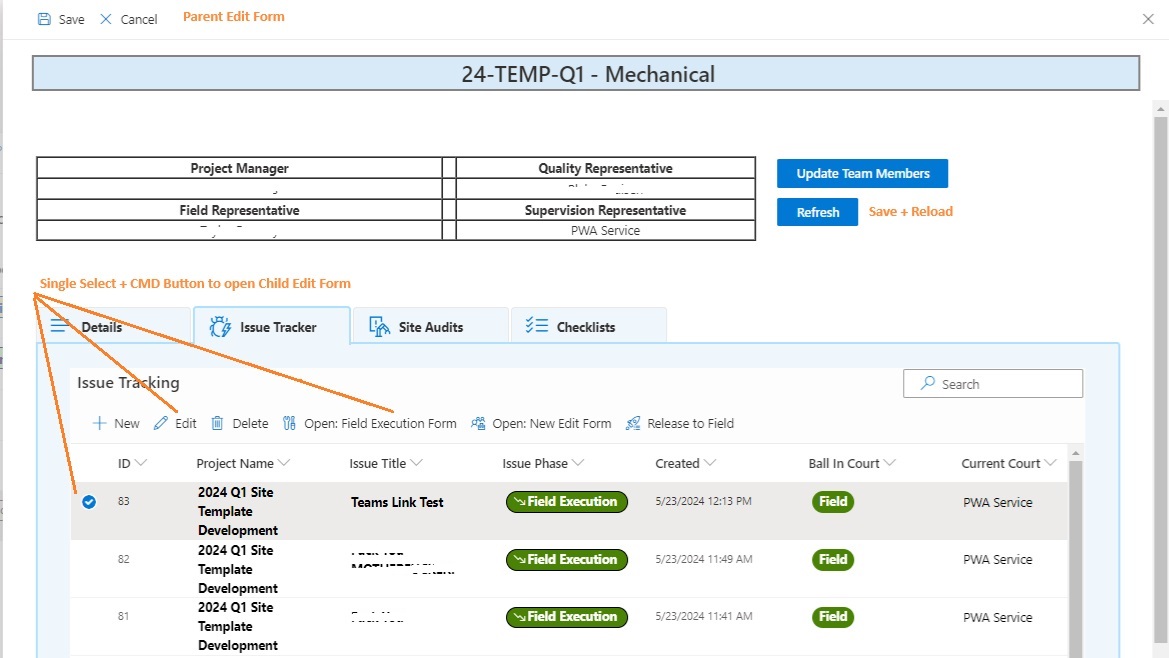
2x Clicking, by default is going to open the Child's Display Form. Why not just (single) Select a Child Item, from within the Paren'ts Edit Form, and use the default Edit button? Or create a Single Select CMD Button that opens whatever Form you desire?
From my experiences, there are some nuances to this approach... be sure to include a 'Refresh' button, which 'Saves' & then 'Reloads'. Window Variables can also be useful in all of this.
...
Here is one of my setups using this method:
 0
0 -
Hello,
when working with multiple sub lists and long lists within the sub lists the command bar is not always visible and you have to scroll around to be able to edit a sub list item.
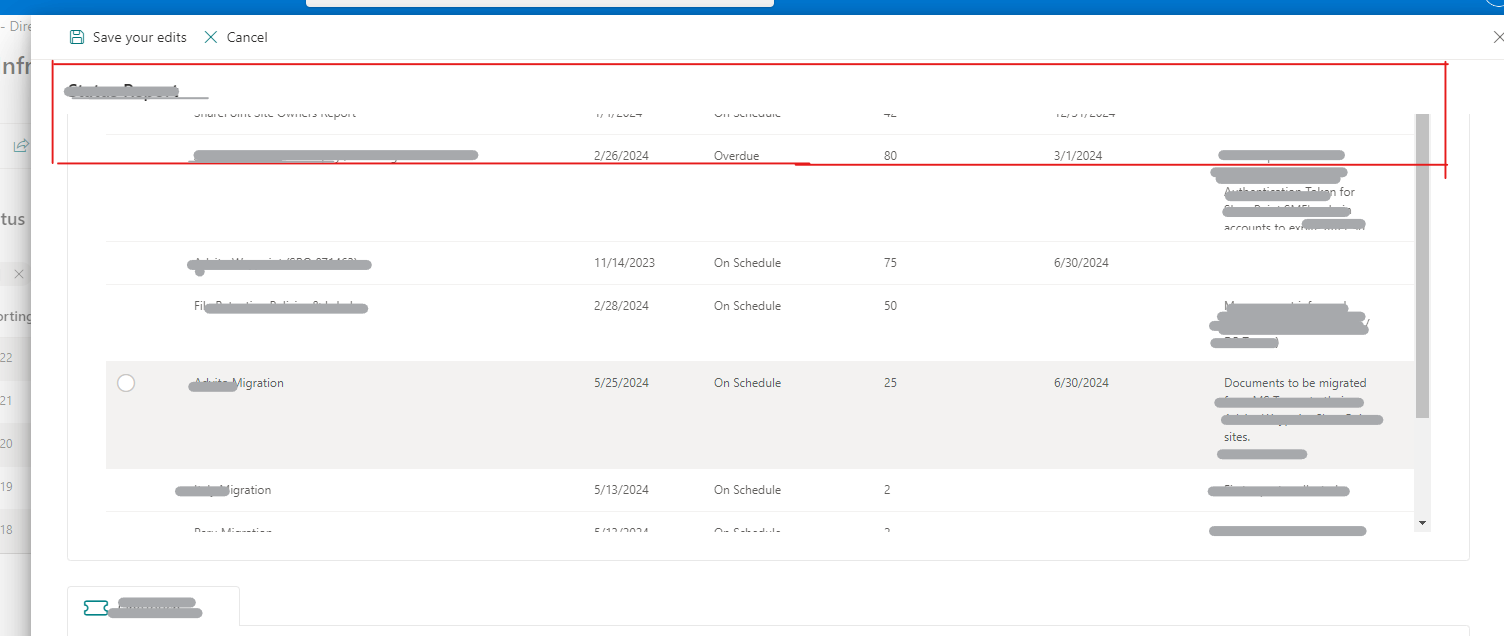
So a double click on an item at the sub list would speed up working when it opens in edit mode immediately (when the parent is edit mode!). This of course should be optional not standard.
We changed the visible settings for the "Edit" button at the DispForm for subitems as a workaround to be able to double click and then enabling editing:Default settings are:=![[@Form.IsSubListForm]] && [[@User.HasPermission.EditItem.CurrentItem]]Our settings are:=[[@Form.IsSubListForm]] && [[@User.HasPermission.EditItem.CurrentItem]]However, why do we have to click so many times, when it is obvious what a user wants? When editing an parent item - I am assuming a sub list item would also be "ready" for editing and not locked and requires to be unlocked first.1
Please sign in to leave a comment.
Comments
2 comments