Copy 2 entries of a person/group field in a new list with 2 separate entries

Dear all,
I have a problem with an action builder:
A document library has a person/group field. I must copy this entry in a new list. That works so far by 1 entry in the person/group field.
If a have two or more entries in the person/group field I would like to have 2 separate entries in the list.
Following message comes up by having 2 entries in the person/group field:

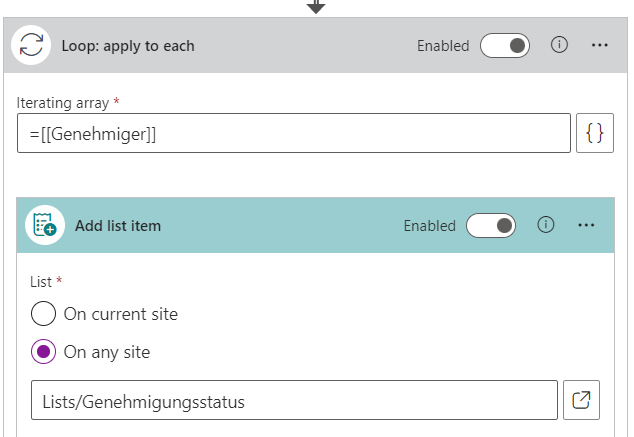
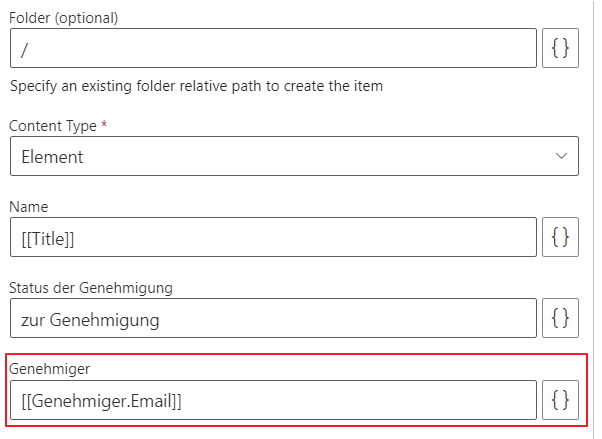
Why does it work with 1 entry and not with 2 or more entries in a person/group field?
Best wishes
Ingo
-
Official comment

Dear Ingo_Bischofs,
you would have to access the email property from the current item in the loop like this:
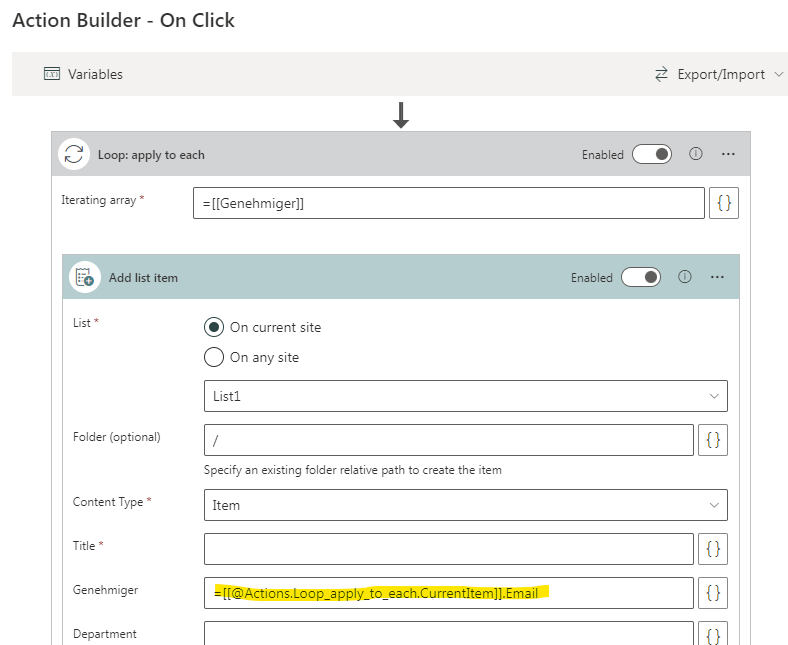
By accessing [[Genehmiger.Email]] directly, it will give you a coma-separated string of emails in the case of multple persons which cannot be set into a person field.
Kind regards
Matthias -
Dear Matthias,
thanks for your quick response. It works!
Thanks a lot and best regards
Ingo0 -
Now I have an other issue:
The list has a field called "Status der Genehmigung".
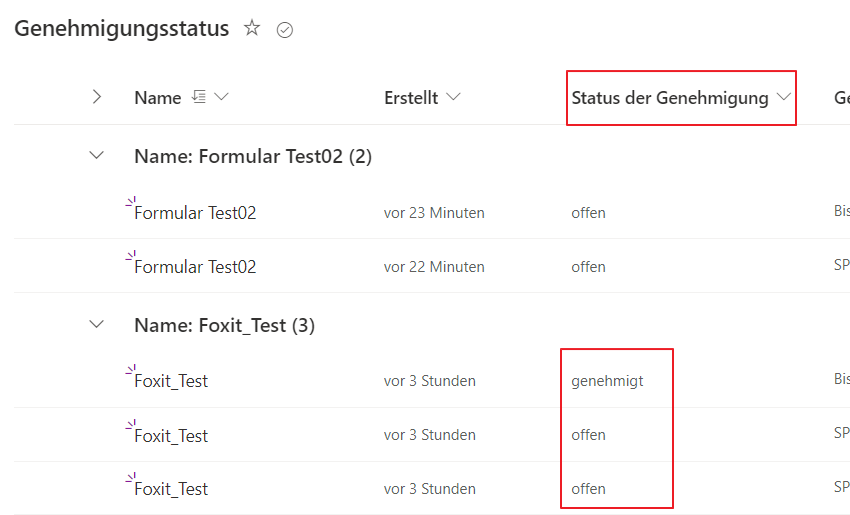
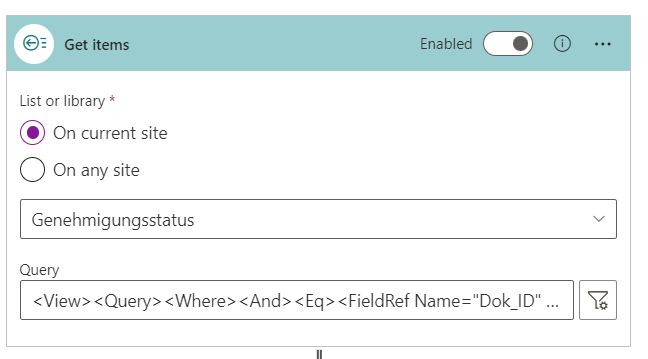
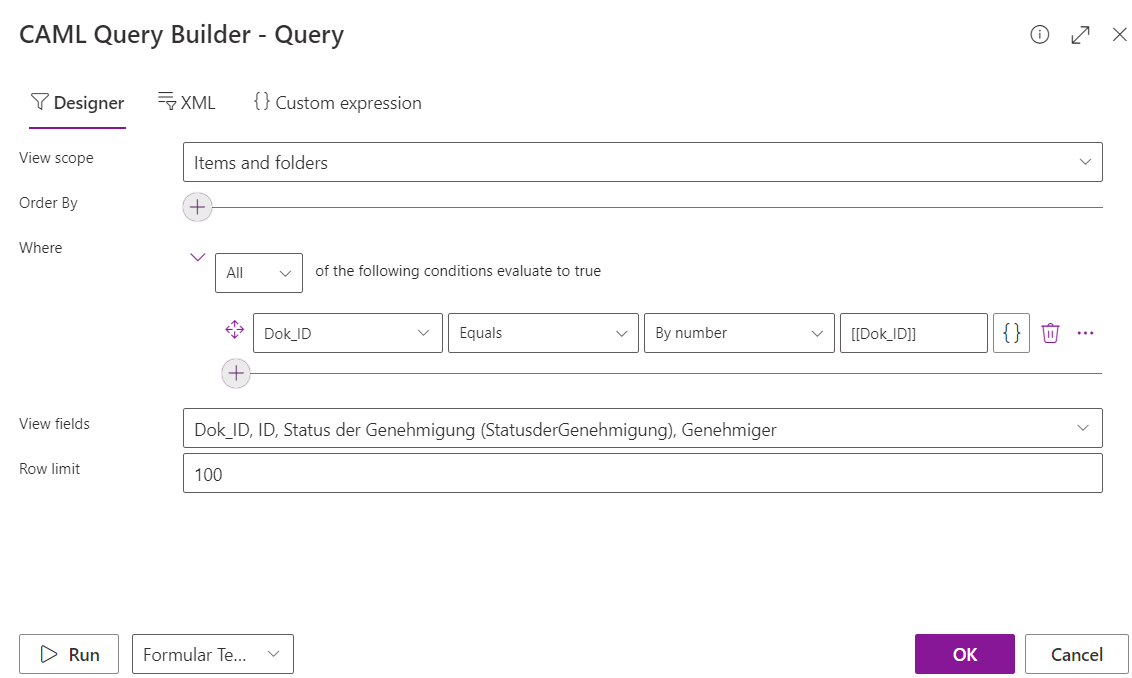
There must be a check if all fields for the corresponding group must have the entry "genehmigt". If yes, then make an entry in the other document library for the corresponding file.
I get the corresponding items, but what is the next step to check (in the example above) if all entries has the correct field value?
 0
0 -
Hi Ingo_Bischofs,
I would see two possible solutions for this:
- Use two get items actions, first get all items this dok_id (as you do right now) and second get all items for this dok_id where the status is "genehmigt", then compare the two results which should be the same:
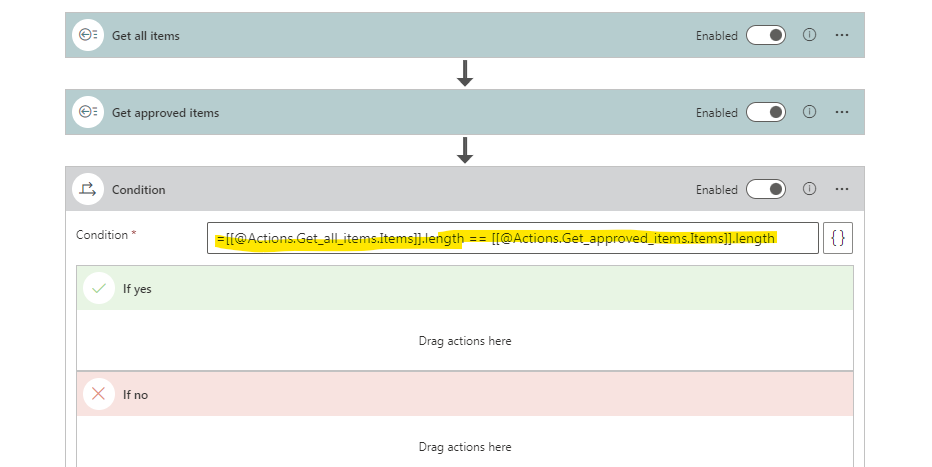
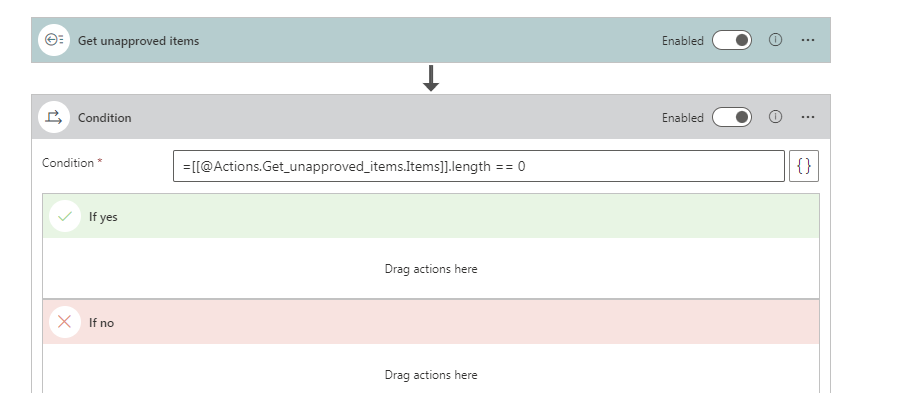
- Use a get items action where you filter on the dok_id and all with status not "genehmigt". If this is 0 then all are approved. But this approach is not as bullet proof as the other one, as it would also be true, when there are no items in the "Genehmigungsstatus" list
Kind regards
Matthias0 - Use two get items actions, first get all items this dok_id (as you do right now) and second get all items for this dok_id where the status is "genehmigt", then compare the two results which should be the same:
-
Hi Matthias,
the first solution works fine.
Thanks a lot and kind regards
Ingo0
Please sign in to leave a comment.
Comments
5 comments