Open a web page using a dynamic link in action button
Answered
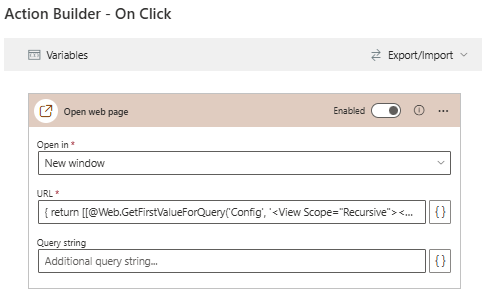
I want to have a Skybow Action button on a page open a website where the URL comes from the local Config list but can't get it to work.
My config list has a field: URL1 that's a type Hyperlink (internal name _x0055_RL1).
-

Hi Dale
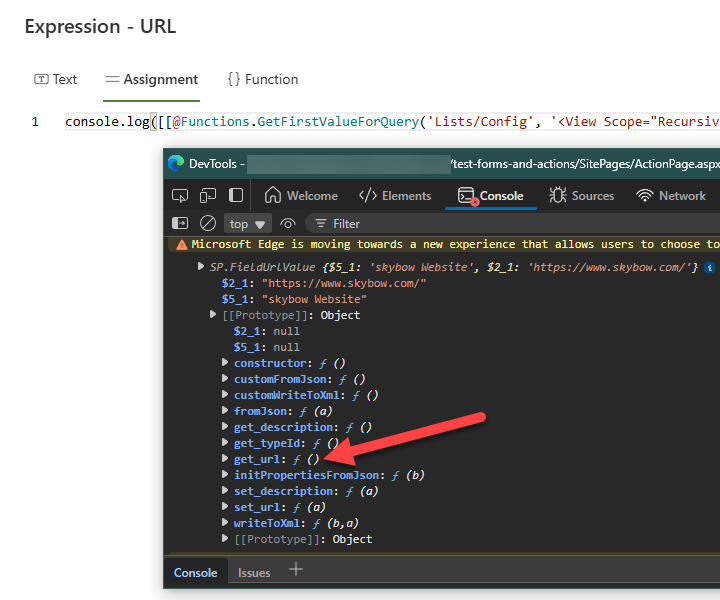
The returned object is of type SP.FieldUrlValue which includes the url and the description as properties.
To return the url only you need to add the function .get_url() to the object (at the end of your expression) like this:
Your expression should look like this then:return [[@Web.GetFirstValueForQuery('Config', '<View Scope="Recursive"><Query><Where><Eq><FieldRef Name="Title" /><Value Type="Text" ProviderType="Expression">Website</Value></Eq></Where></Query><ViewFields><FieldRef Name="_x0055_RL1" /></ViewFields><RowLimit>1</RowLimit></View>', '_x0055_RL1')]].get_url()Note: You can log the object into the browser's console during tests to see its properties and methods:
 1
1 -
Thanks Christof, this works perfectly! I will add this to my notes on what I can do using the Config list.
I also customized the button name.
Dale
1 -
I do have one question. In case this isn't configured it throws an error. I've tried to trap that and have it return blank, but not successful.
0 -

I am working on something similar, and the concept of utilizing Sites Pages, CAMLs and URL values has been crossing my mind...
In the context of: a Site Page, with Action Buttons, configured with CAML Queries...
Lets suppose the Site Page opens with a URL Query value... ie: https://tenant.sharepoint.com/sites/a/sitepages/page.aspx?varCAML=28
Would it be possible to use that value (28), in the Action Button CAMLs? Such as... the value of 28 would relate to Item ID 28 in a config list.
Is this possible? If so, how would you go about using the varCAML/28 within the Action Buttons?
0 -

Hi Kilgore ServiceAccount,
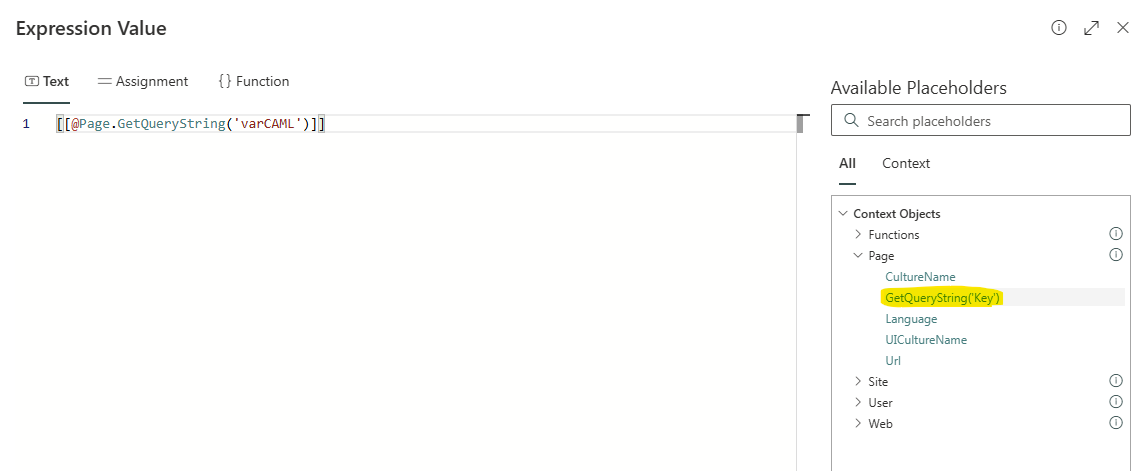
there is a page function called "GetQueryString" you can use to read any url parameter:
Kind regards
Matthias
0 -
Hi Dale
If you want to handle not existing config list entry it's easier to split the logic into different actions:
1. a Get items action returning the config list entry
2. a Condition action with the condition =[[@Actions.Get_items.Items]].length==1 checks the existence of the item
yes-case: Open web page action with URL =[[@Actions.Get_items.Items]][0]._x0055_RL1.get_url() to get the url of the returned config list entry
no-case: do any actions here you want in case the config list entry doesn't exist0 -
Hi Chrisof,
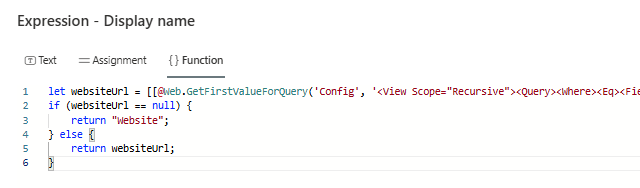
Thanks, I got this to work in the Configure Actions but I also wanted to use the function for the label Display Name but this doesn't have the actions feature so no condition action.
Dale
If my lookup isn't found it returns an error on the page.
 0
0 -
Hi Dale Zach
Yes, true, then you need to handle all these cases inside the Expression if you need it for a label (e.g. of a button)... If you need help you can book a session with us here: skybow Solution Studio Online Expert Service
0
Please sign in to leave a comment.
Comments
8 comments