Dynamic Page Banner Title?

I'm using the Skybow automation actions webpart for a URL using an entry in the Config list and this works well.
{ let websiteUrl = [[@Functions.GetFirstValueForQuery('Lists/Config', '<View Scope="Recursive"><Query><Where><Eq><FieldRef Name="Title" /><Value Type="Text" ProviderType="Expression">Website</Value></Eq></Where></Query></View>', '_x0055_RL1')]].get_description()if (websiteUrl == null) { return "Website";} else { return websiteUrl;} }
What I'd like to do is have the title in the Banner web part show this text and wondering if there's a way to do that, or another method that would show this text at the top of the page.
-

Hi Dale Zach
Easiest way for this requirement is to use the Open web page Action with setting Open in "Panel":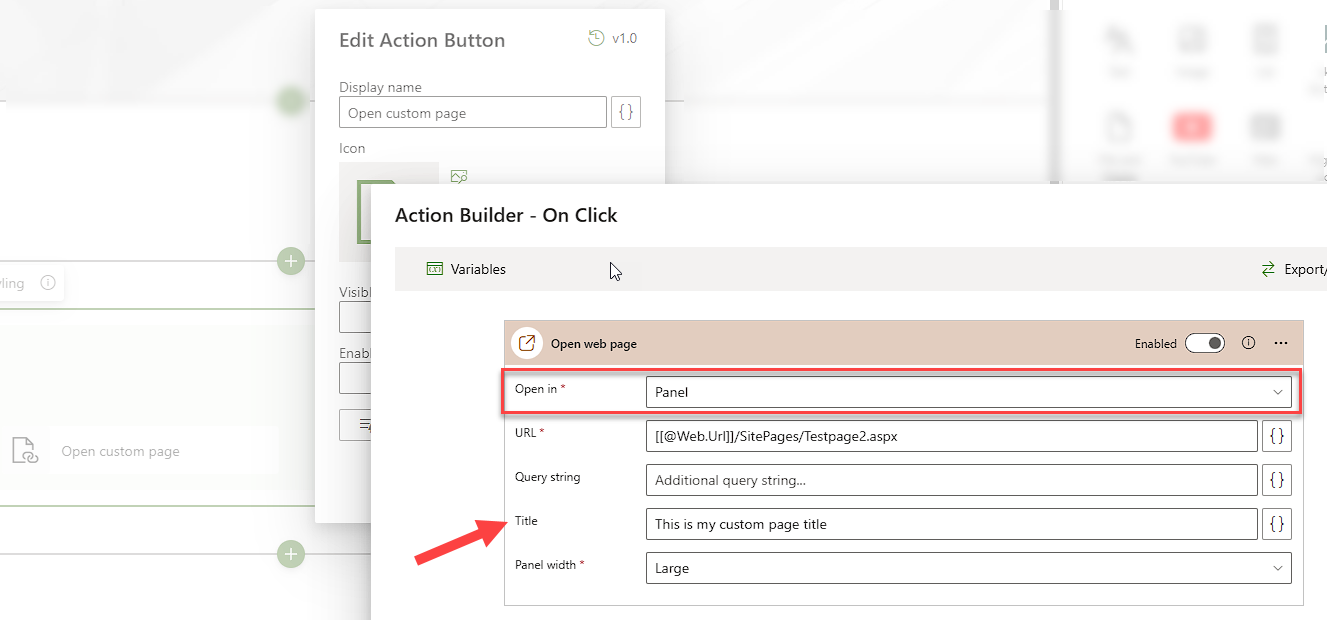
This way you have a Title configuration possibility which will show the title on top in the panel presenting the page:
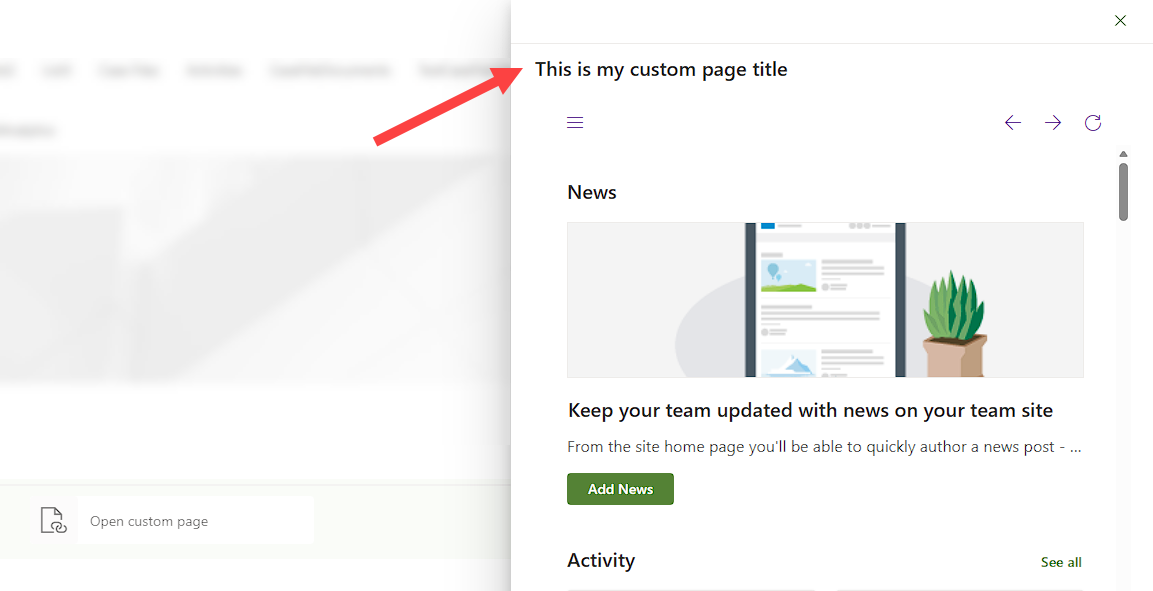
To place it inside banner would need some custom scripting (javascript - optional jquery) to manipulate the HTML/DOM of the page...0
Please sign in to leave a comment.
Comments
1 comment