Styling - Swapping the location of Column Description and Label on Form

Greetings,
[I did further digging before posting, and was able to find a solution. I am sharing this for others to use...]
Are there any Styling/Formatting tricks I can use to basically swap the Label & Description for certain columns?
I know that I can turn off the Visibility of the Label, but how can I alter the placement of the Description?
=== === === === ===
Solution:
.sb-field-label {
  display: none !important;
}

.sb-field {
  display: flex;
  flex-direction: column;
}

.sb-field-desc {
  order: -1;
  font-weight: 600;
  font-size: 11pt;
  color: "[theme: black]";
}
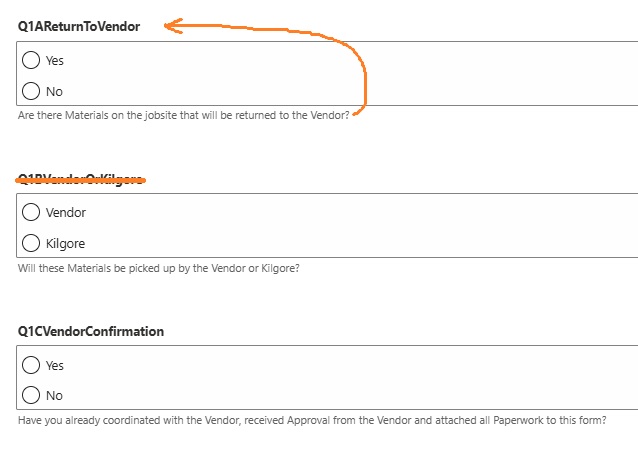
BEFORE:
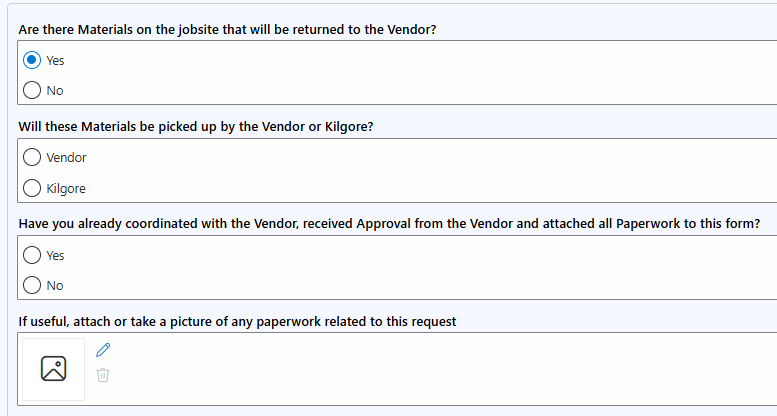
AFTER:
1
-

Thanks for sharing ❤️
0 -

Hi Kilgore ServiceAccount,
an alternative for your use case would be, to simply double click a field label and edit/customize your column label text like this:
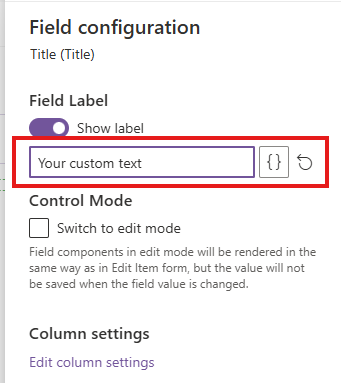
or did I get you wrong?
Kind regards
Matthias0
Please sign in to leave a comment.
Comments
2 comments