Pause/disable an action
Completed
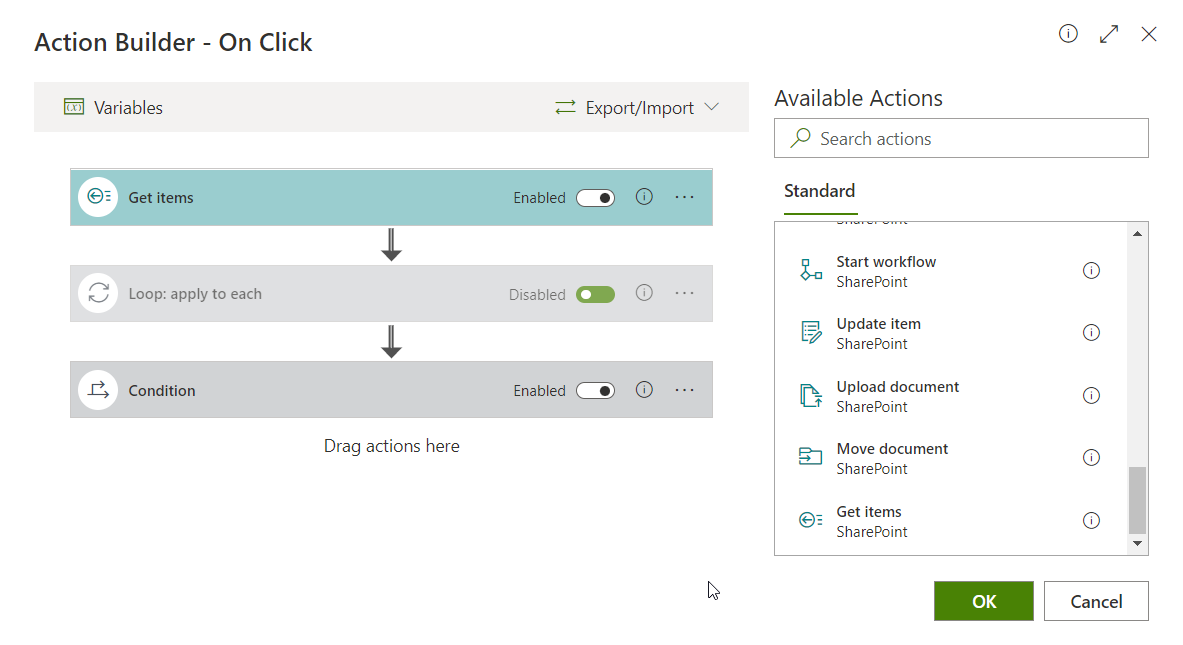
For testing purposes it would be useful to select which actions are enabled or disabled in a button. This would save a lot of time, since you would´t have to delete the action and then recreate it again to debug your solution.
1
-

Instead of deleting the actions you can simply set the Condition to =false.

This action will be skipped.
Of course you have to store your original condition expression on a temporary place.
0 -

Or just concatenate like =false && yourcondition
0 -
Exactly this is possible now in the new Action Builder: Action Builder introduction - Disable a specific action
 0
0
Please sign in to leave a comment.
Comments
3 comments