Display Only fields on form

Hi everyone
I have a couple of fields on an edit form that are there only for information so I don't want the user to edit them (they can edit all other fields on the form). However there seems to be an issue displaying them when they are set to "Only Display". The first screenshot below shows the fields when the "Only Display" check box isn't selected:

If the "Only Display" checkbox is ticked for these fields they display as below:

I have experimented with other fields on the form and it seems to only be people picker and date fields that display incorrectly when set to "Only Display". It's odd because these fields display correctly on the Default Display Form for this list.
Has anyone run into this issue before, and are there any workarounds?
Thanks in advance for your help.
-

Hi Gareth Jayne,
thanks for reporting. We need to check that, but looks like a bug.
As a workaround you can simply configure an enabled expression to "=false", which should deactivate a field as well.
BR Matthias
0 -

Are there any news on this? This really seems like bug.
Is it possible to format a display only field value?
0 -

Hi Stefan Born
Just tested on my EditForm with latest Rich Forms version:
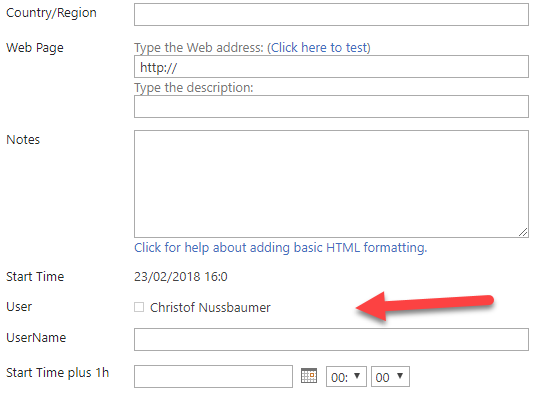
To render a field value in another format as it stored or rendered by default, I would recommend to add an additional field and calculate the value to the wanted format in this field.
0 -
The user field is working fine.
I meant the date field which gets formatted in a really ugly way. The format of the field is set to "Date only", but the time is displayed anyways.

Did you mean add an additional SP field in the list, just to display a formatted value?
This is no good solution, as I don't want to pollute my list with fields just for formatting reasons.
The text of a rich text field cannot be set by expressions, can't it?
0 -
Hi Stefan Born
You're right. The time is also rendered for date-only fields. I create a ticket for our development to fix this - you will get informed about this case.
Yes, I meant an additional SP field. But for sure, in general it should be avoid to fix UI issues by fixing it with structure/logic changes. Better create some custom scripts in Form Load Actions to get values, and replace/add content in the form.
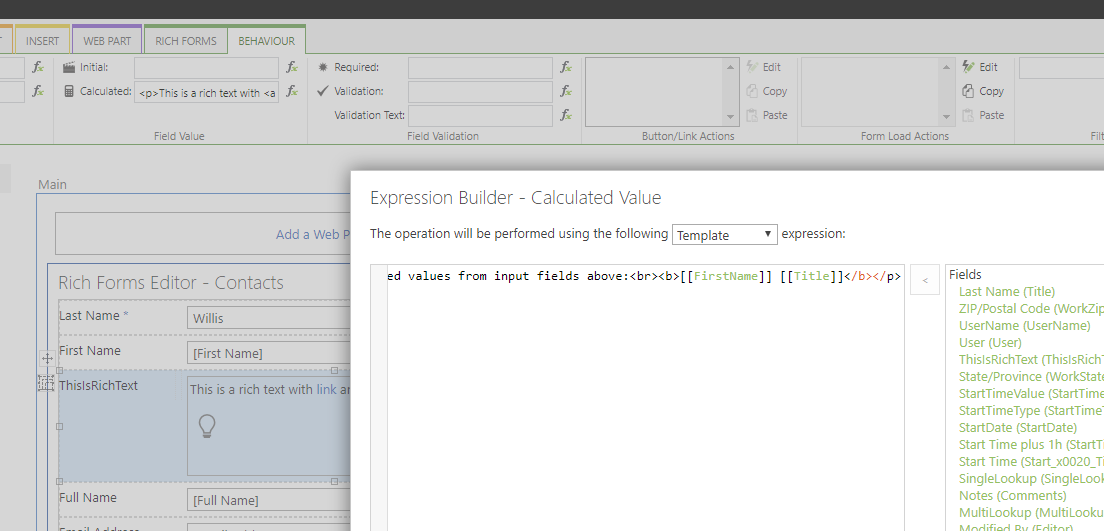
You can set Rich Text field values - in HTML format.
See this example:
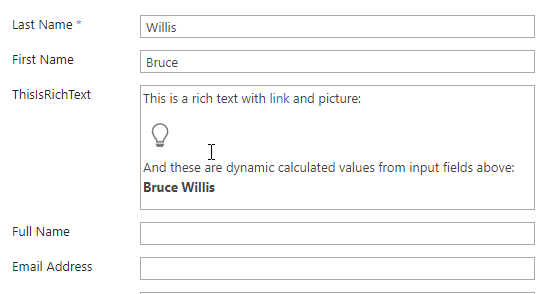
Configuration:
 0
0
Please sign in to leave a comment.
Comments
5 comments