Forms Question

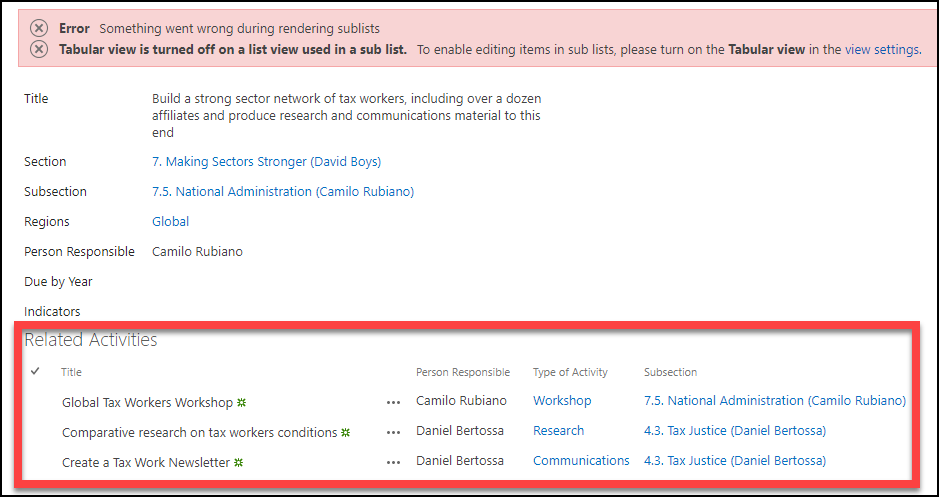
I want to disable editing of the sub list displaying on my form, particularly as it only shows on the display form (not on new or edit). I haven’t found how to do it in rich forms or in the webpart and so went and disabled quick edit on the linked list. This achieves the desired result but displays an error. How can I disable editing from the form while ideally allowing the list to be editable in quick edit when viewing the actual list? In the screen show below the list outlined in red is as wanted but you can see the error at the top.
-

Hi Carl Greenhalgh,
display mode for sublists views on mainitem's form is not a supported feature of Rich Forms Add-In.
If you're using SharePoint Online you may be able to switch to Solution Studio Online where we have this feature on sublist insertion:
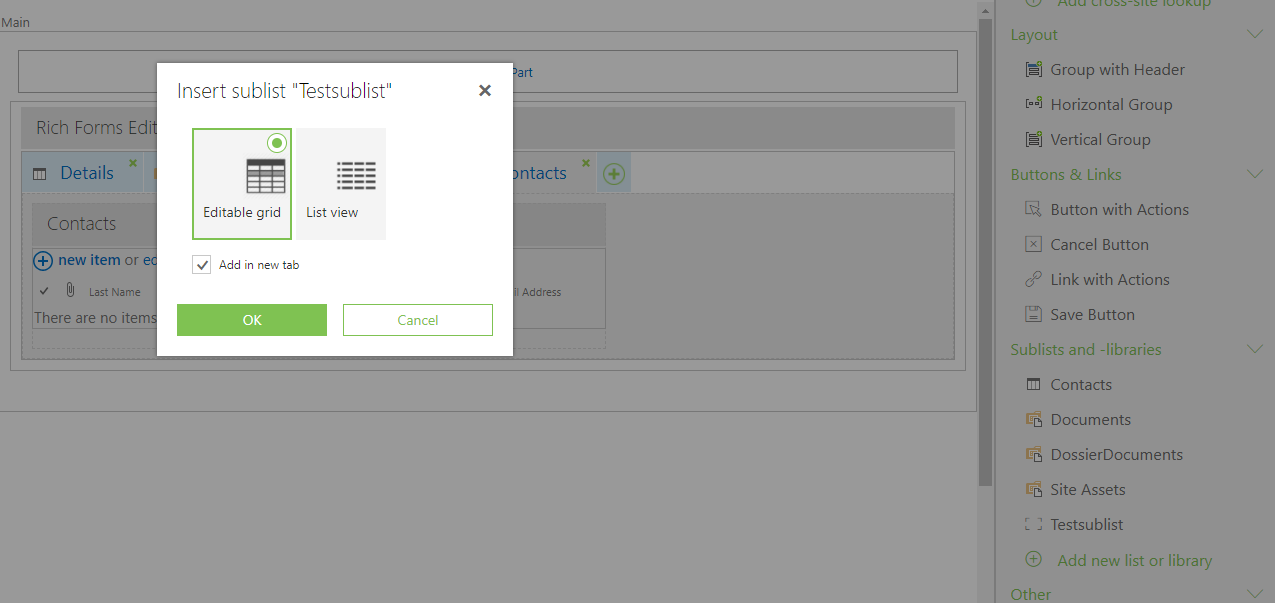
Otherwise you can request this feature by creating an idea here: Ideas SharePoint Add-Ins
I did some research for a workaround disabling the columns of the GridView and found this article How I can disable a column inside the Quick Edit Grid using a JSLINK linked to my WebPart.
This script worked for my MyDisabledColumnName column:
var statusField = ctx.ListSchema.Field.filter(function(f) {
     return f.Name === 'MyDisabledColumnName';
});

if (statusField) {
     statusField[0].AllowGridEditing = false;
}
0 -
Carl Greenhalgh
There is a working solution for this requirement:1. Insert a the related sublist (SP ootb) into Rich Forms
2. Change webpart's "Toolbar Type" because the ootb "Add new item" does not set the reference to current item

If you need a link/button to add a new sublist item, just add it in Rich Forms and configure it like this to transfer the current ID to the sublist's NewForm:

On NewForm you can consume the ID from the URL and set it as Intial Value to reference lookup field:
 0
0
Please sign in to leave a comment.
Comments
2 comments