Verifying required fields before executing script

I have set some fields mandatory in Skybow (Required = true). When user clicks Save, several things start happening.
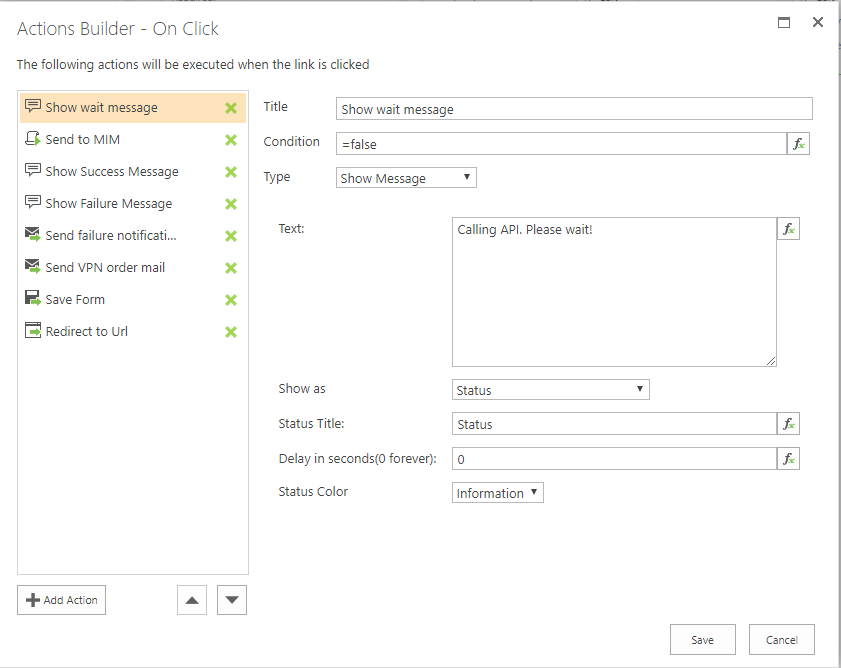
In my workflow, if user leaves a required field empty, everything before "Save forms" is executed even though it should not, if some required fields are empty. It looks like validation takes place only when form is saved. So added "Save Form" as a first step and another save before redirect. But this resulted in two order rows in my list.
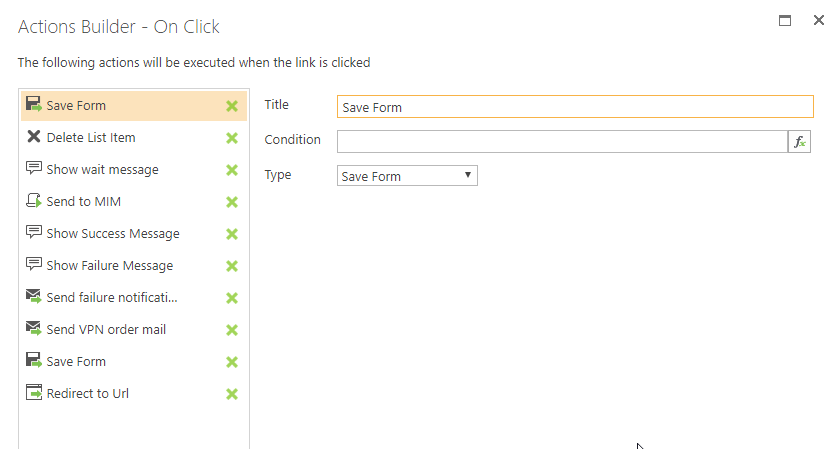
I figured out a work-around where I first save the form, then delete it, and after all steps are completed, then I save the final form. This workflow shows error messages of empty but required fields and I get only one order row in my list. But is there a better way for validating the fields before executing the steps?
-

Hi Heikki Salminen,
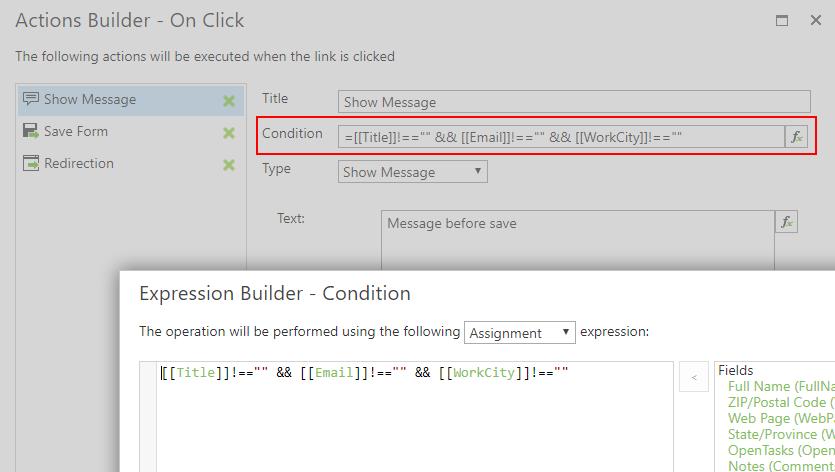
to overcome this problem, you could add a condition to each action before the save action which checks if the required fields are not empty:
Cheers Matthias
0 -
Seems to work. Even better way is to use the expression builder to keep the Save-button disabled until all required fields are filled in.
Br, Heikki
0 -

The required field validation is not working with button disabling neither with Rich Forms nor in SharePoint ootb forms.
But you're right, with Rich Forms you're able to configure an "Enabled Condition" on your buttons with an expression that checks the field on filled in values.
Feel free to share your experiences with us about this case
Thank you!
0 -
Hi
I've been playing with this for a while. If there are more than just a few mandatory fields and more than a couple of actions, it's quite time-consuming to add all conditions to each step. It would be good if there was a way to validate all mandatory fields in single step and if it fails, then show an error message and jump out of the sequence.
Br, Heikki
0 -
unfortunately this is not possible with the current architecture since each action is evaluated separately.
But there is probably a better way from a performance perspective. With the current configuration it would check the required field many times again and again, but this could be optimized to store the result once in a window variable and just access it from every action afterwards.
So in the first action simply store the result of the check into a window variable (I just named mine formvalid) and return it on the same line.
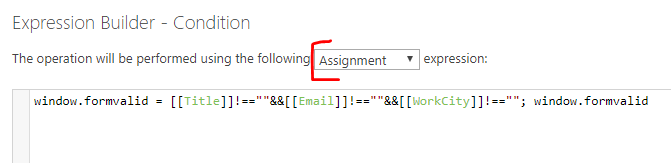
In the following actions you can now access the condition directly from the window variable which makes it much faster and you have the logic just at one place if it changes later.
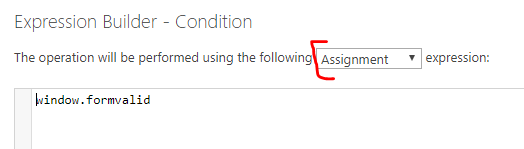
BR Matthias
0 -
Hi
I finally had time to test windows-variables, and they seem to work. I think this is a working way to do the trick, thanks!
Br, Heikki
0
Please sign in to leave a comment.
Comments
6 comments