Showing titles of documents and tasks with document generation

Hi,
I have been using the action type "document generation" to create a report based upon list items. This list item (e.g. project) also contains the tabs "documents" and "tasks" (linked lists). Is it possible to only show the titles of the documents and tasks in the report? How can you achieve this?
best regards,
Mattias
-

Have a look at chapter Document Templates in this article: Document Generator introduction
Define loops like this in your word document template:
[[loop SubListTitle]]
[[Title]]
[[end loop]]
There's an Example of a template to download in which is a sublist (work items of a timesheet) loop configured.
Please let me know if this is what you're looking for!
0 -
Hi Christof,
For the tasks this will work but for the document library I will need another solution. I want to show the title field of the documents that are related to the project list.
Can you assist please?
0 -
The reason for this is: Sublibrary documents does not have a lookup to it's parents. They're related by a named folder {mainlistname}-{mainitemid}.
Therefore you have two options:
- Calculate a lookup on each document to the parent dossier based on the {mainitemid} part of the folder
- Use Filtered Loops with CAML parameter in document generator that filters by folder: Word Generator Placeholder Expressions
0 -
We implemented this functionality for easy configuration in latest release of Solution Studio (Solution Studio Update 22.06.2018).
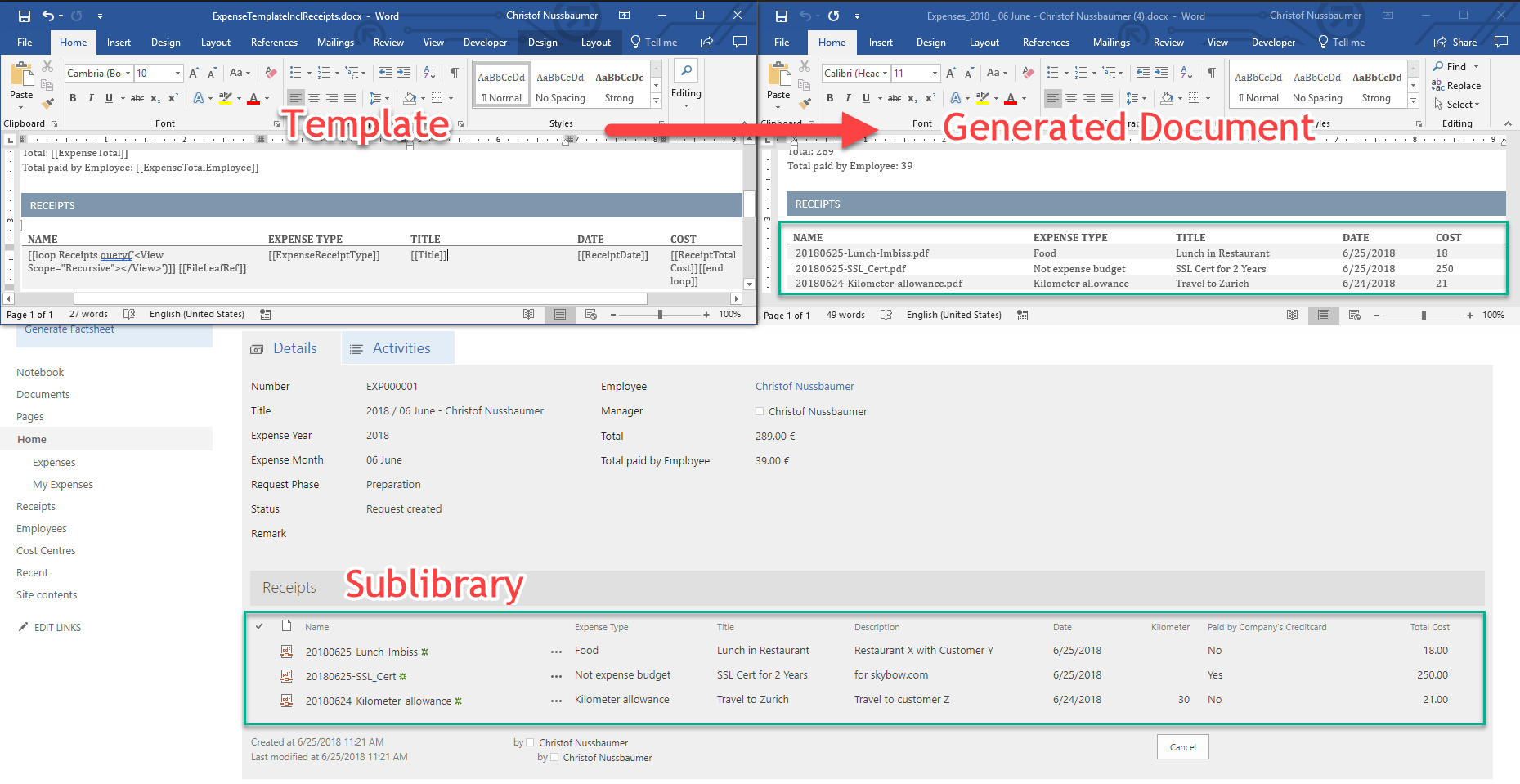
Snippet for word template:
[[loop YourSublibraryName query('<View Scope="Recursive"></View>')]] [[FileLeafRef]] [[Title]] [[OtherField]][[end loop]]0
Please sign in to leave a comment.
Comments
4 comments