Item not saved with server side validation errors and attachment

We noticed that under the following circumstances, the form closes and returns to the list without saving the item.
Steps to reproduce:
- Create a new custom list
- Add a number field that is required
- Add Rich Forms for New item creation
- Ensure the Attachments field is in the form
- Save the Rich Form and create a new item
- Fill in the title and the number fields and add an attachment
- Save the item
- The form closes and redirects to the List, but no item has been created
Here's a short video that demonstrates the behavior:
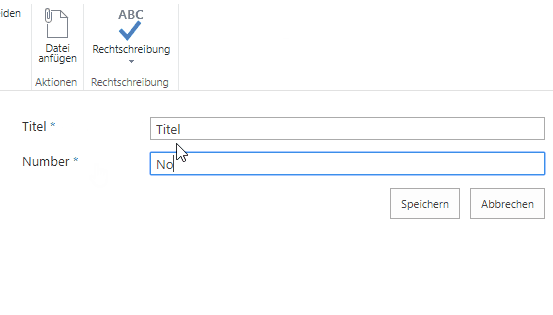
If no attachment is added, then validation works as expected and the form shows the server side validation errors.
-

Hi Stefan Born
Could reproduce your issue in my site and created a ticket for this issue to handle it. You will get informed from the ticketing system by email.
Thank you for this feedback!
0 -

Hello Stefan Born
Hi, for now, you can add validation expression to the field you need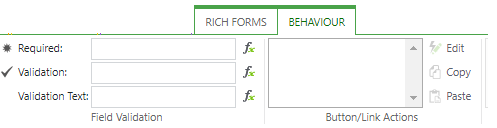
Like here
1) Add validation expressionreturn !isNaN([[Number]])
2) Validation text- if needed
3) Now validation looks like this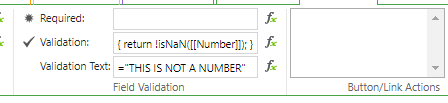
4) And the runtime, after the Save button press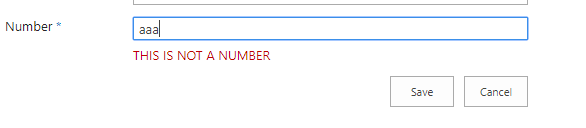 0
0
Please sign in to leave a comment.
Comments
2 comments