Actions link icons
Answered
How can i add action link icons after i added the link? What path should be used and where can i see the different icon options so that i know what icon to choose?
-

Hi Håkan Östlund,
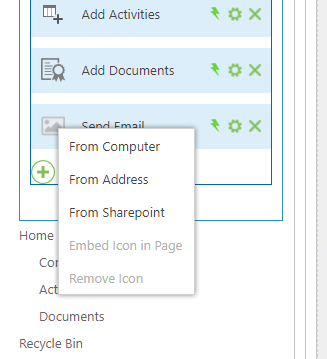
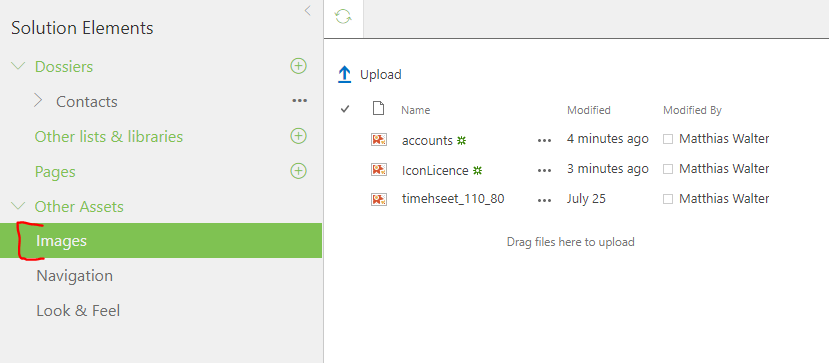
If you choose an icon "From Computer" (figure 1) it will be automatically uploaded to the Images in Solution Elements (figure 2) Therefore they will be packaged and deployed as well.
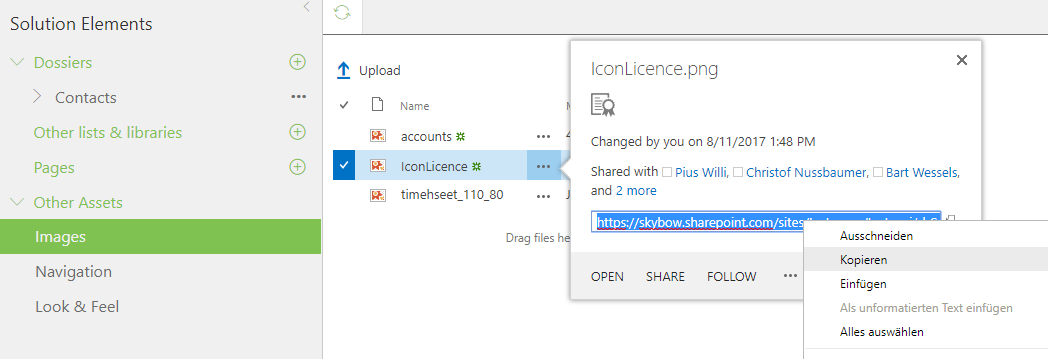
If you have existing images in your solution and want to reuse them, you can copy its url (figure 3) and choose "From Address" (figure 1).
BR Matthias
0 -

Is there a library available with icons that you use in your skybow sample solutions?
I like the icons and want to reuse these. Unfortunately, when clicking the placeholder for the image/icon, there is no choice for these icons...0 -

Hi Joerg Knoerchen
We used this Simple Line Icons library from here in the classic skybow templates: https://creativemarket.com/raul.taciu/381094-Simple-Line-Icons-ProIn modern skybow templates we like to use the Office UI Fabric Icons https://uifabricicons.azurewebsites.net/ (and still Simple Line Icons in some places)
0
Please sign in to leave a comment.
Comments
3 comments