Validating email address

Hi
I want to validate email address (or UPN) in my form. I did some “google research” and found a script that should do the thing (https://www.w3resource.com/javascript/form/email-validation.php#).
function ValidateEmail(extAccountName)
{
var mailformat = /^\w+([\.-]?\w+)*@\w+([\.-]?\w+)*(\.\w{2,3})+$/;
if(extAccountName.value.match(mailformat))
{
return true;
}
else
{
return false;
}
}
Field name in form is extAccountName, which is created by concatenating a few fields together
"ext-" + [[extUserFirstName]] + "." + [[extUserName]] + "@almamedia.fi"
Calculating the value by first and last name works, but validation doesn’t. It rejects then input in every case. How should I do the validation?
-

Hello Heikki Salminen
If I understand you right you want validate value in extAccountName field that calculated by concatenating a few fields together.
To do this you can try follow next (in my example I used Edit Form):
1. Add Calculated expression for field extAccountName via Behaviour Tab of skybow Rich Forms:
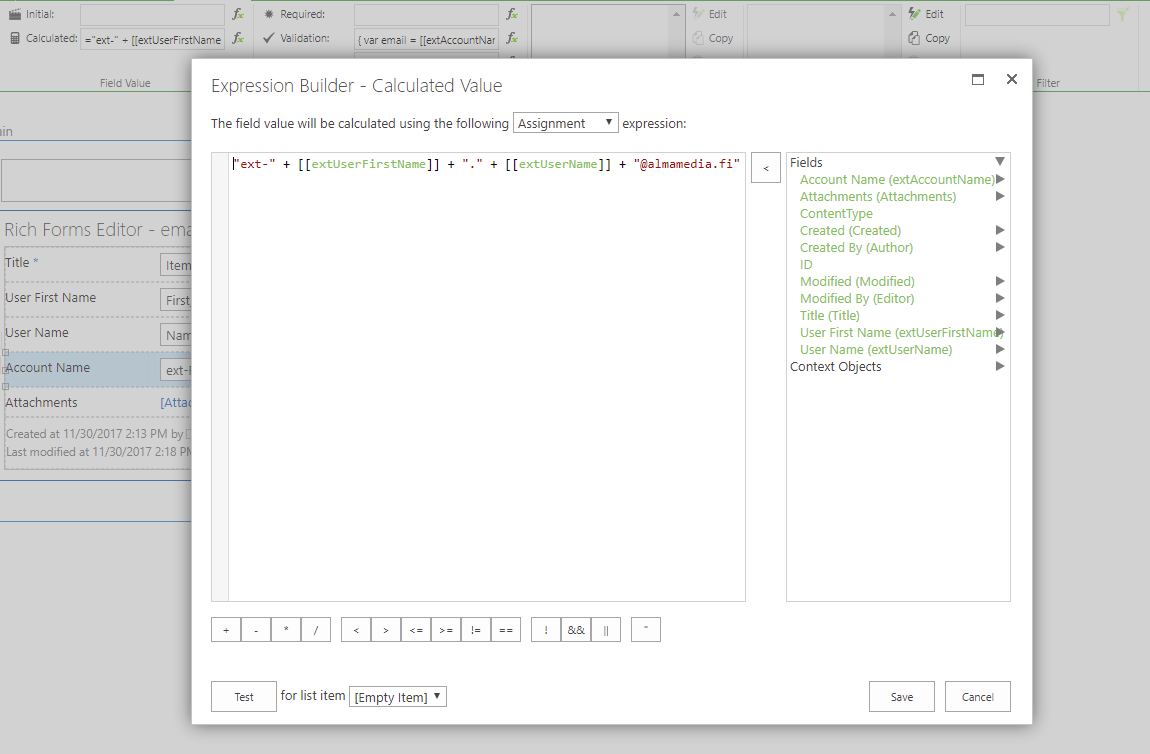
Use 'Assigment expression' with next code:
"ext-" + [[extUserFirstName]] + "." + [[extUserName]] + "@almamedia.fi"2. Add Validation expression for field extAccountName via Behaviour Tab of skybow Rich Forms:
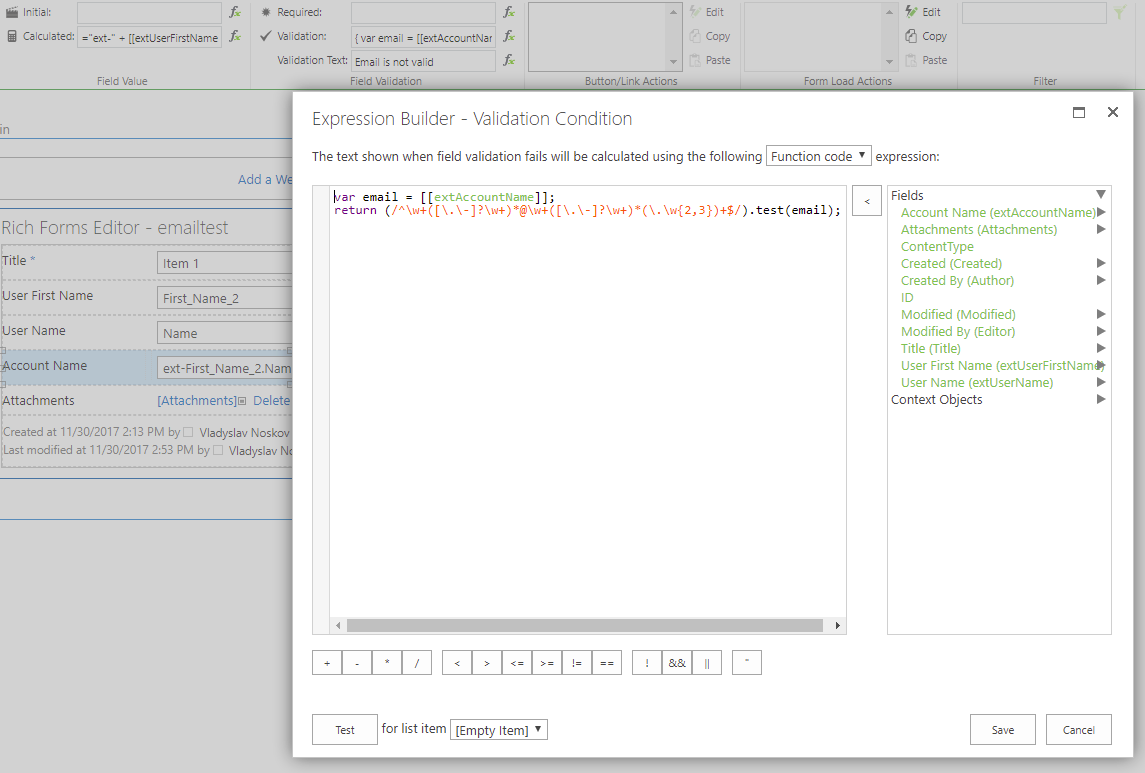
Use 'Function Code expression' with next code in it:
var email = [[extAccountName]];
return (/^\w+([\.\-]?\w+)*@\w+([\.\-]?\w+)*(\.\w{2,3})+$/).test(email);
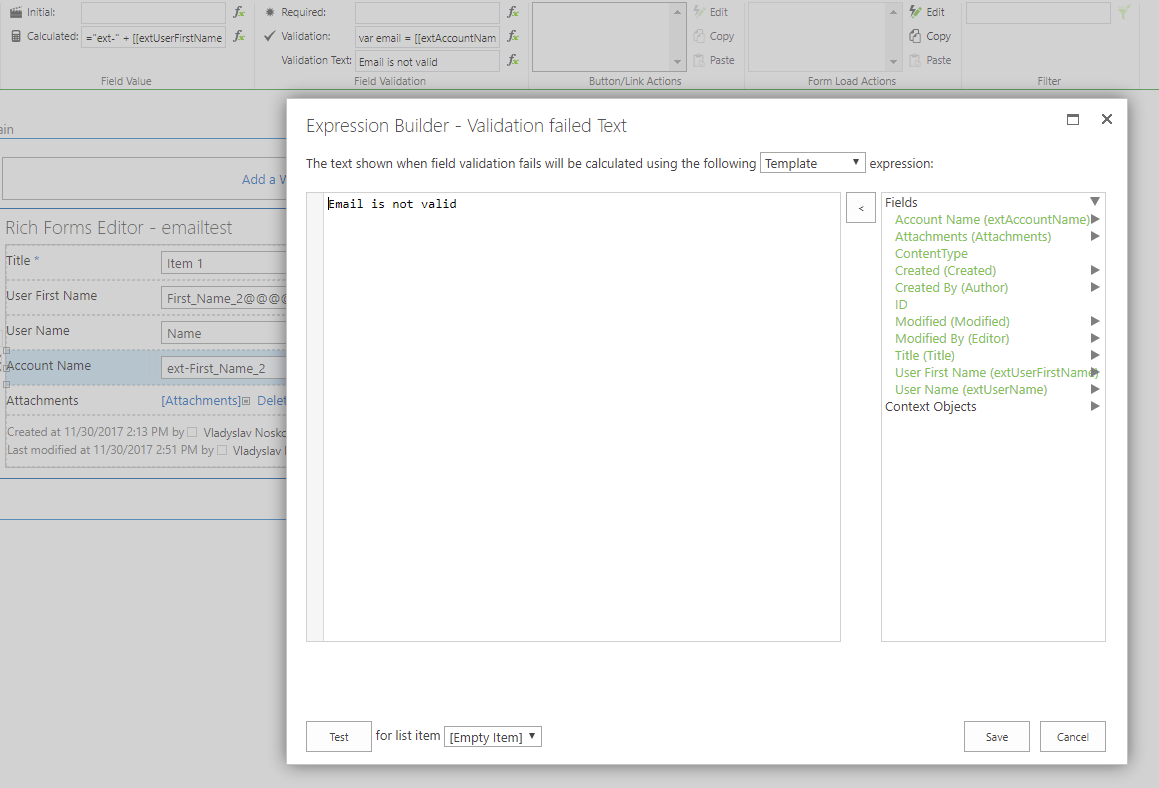
3. Set Validation Text for field extAccountName via Behaviour Tab of skybow Rich Forms (it will show in case validation failed):
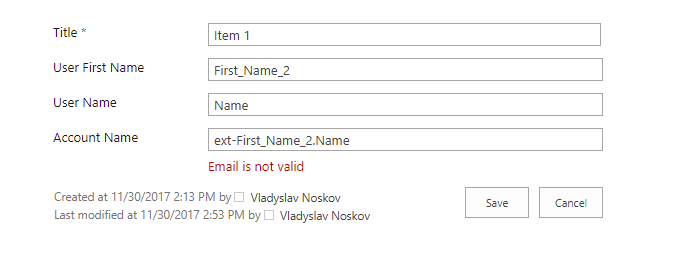
And here is screenshot how it looks on runtime after you try to Save form with invalid Account Name:
Hope it can help.
Best regards
Vladyslav Noskov
0 -
Hi
Thanks, the solution worked smoothly.
Br, Heikki
0
Please sign in to leave a comment.
Comments
2 comments