Dossier Tab "Documents"

Hi Community
We have a Problem with the Documents-View in dossiers.
Everything works fine but we miss something in de View/Webpart.
If the documents are in Folders an we navigate in one of these there is no way out. (Just reload the hole site)
No Breadcrumb, no Icon like "One Folder up".
Is there e property or any other solution for this Problem?
Many thanks and kind regards, Patric
-

You're right, there is nothing to use directly, but I found a solution by just adding a link and a form load action to your form.
See how it works for endusers here:
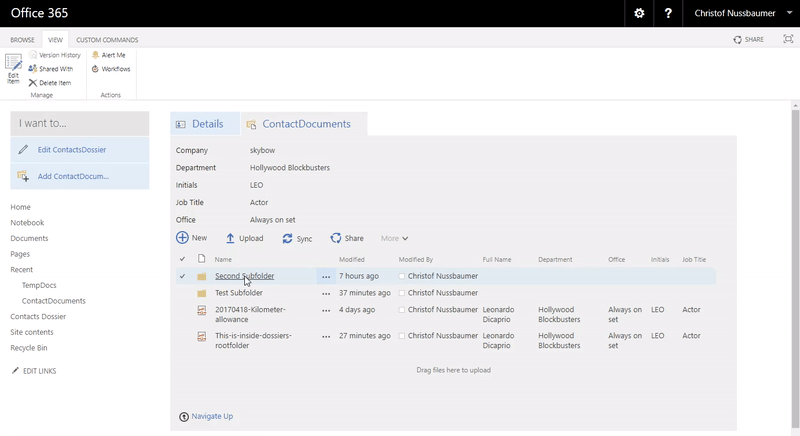
This is how it's configured:
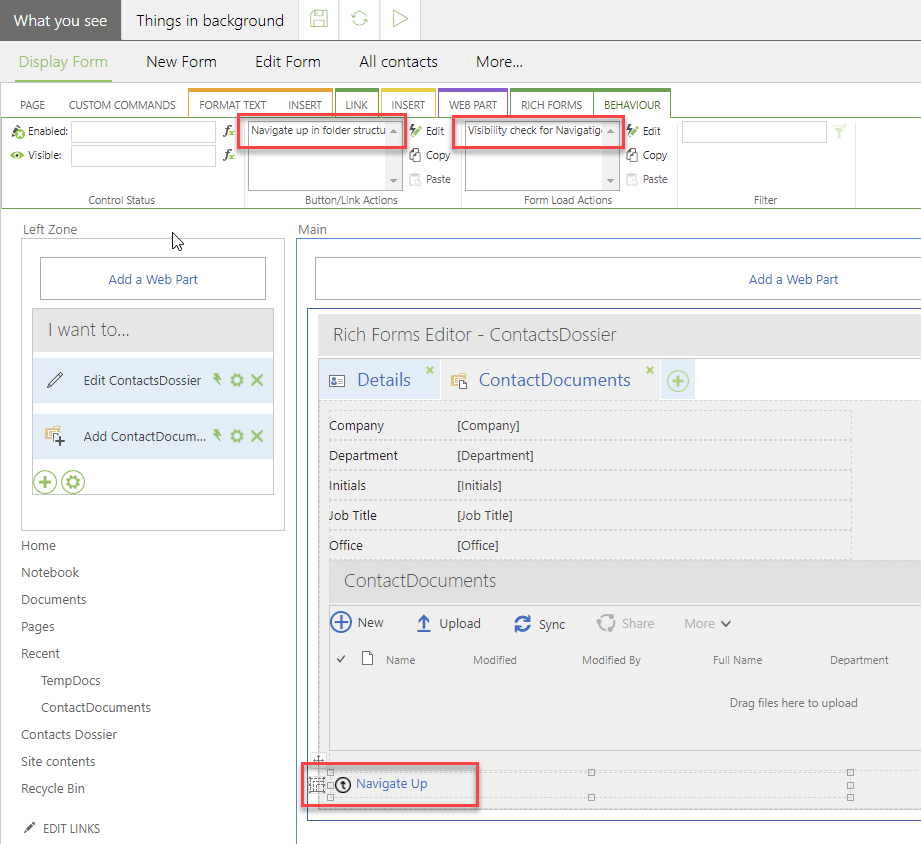
Form Load Action
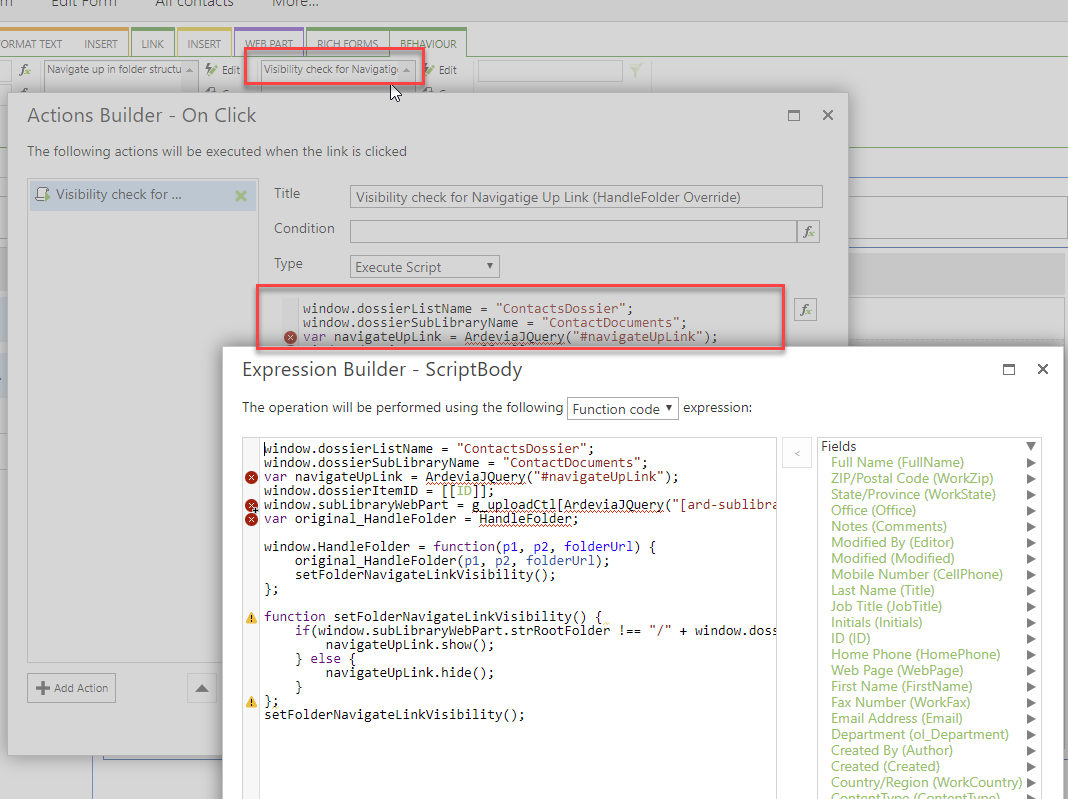
Function code:
window.dossierListName = "ContactsDossier";
window.dossierSubLibraryName = "ContactDocuments";
var navigateUpLink = ArdeviaJQuery("#navigateUpLink");
window.dossierItemID = [[ID]];
window.subLibraryWebPart = g_uploadCtl[ArdeviaJQuery("[ard-sublibrary-title=" + window.dossierSubLibraryName + "] div[id^=WebPartWPQ]").attr("id")];
var original_HandleFolder = HandleFolder;

window.HandleFolder = function(p1, p2, folderUrl) {
     original_HandleFolder(p1, p2, folderUrl);
     setFolderNavigateLinkVisibility();
};

function setFolderNavigateLinkVisibility() {
     if(window.subLibraryWebPart.strRootFolder !== "/" + window.dossierSubLibraryName + "/" + window.dossierListName + "-" + window.dossierItemID) {
          navigateUpLink.show();
     } else {
          navigateUpLink.hide();
     }
};
setFolderNavigateLinkVisibility();
Replace ContactsDossier and ContactDocuments with list/library names of your solution.
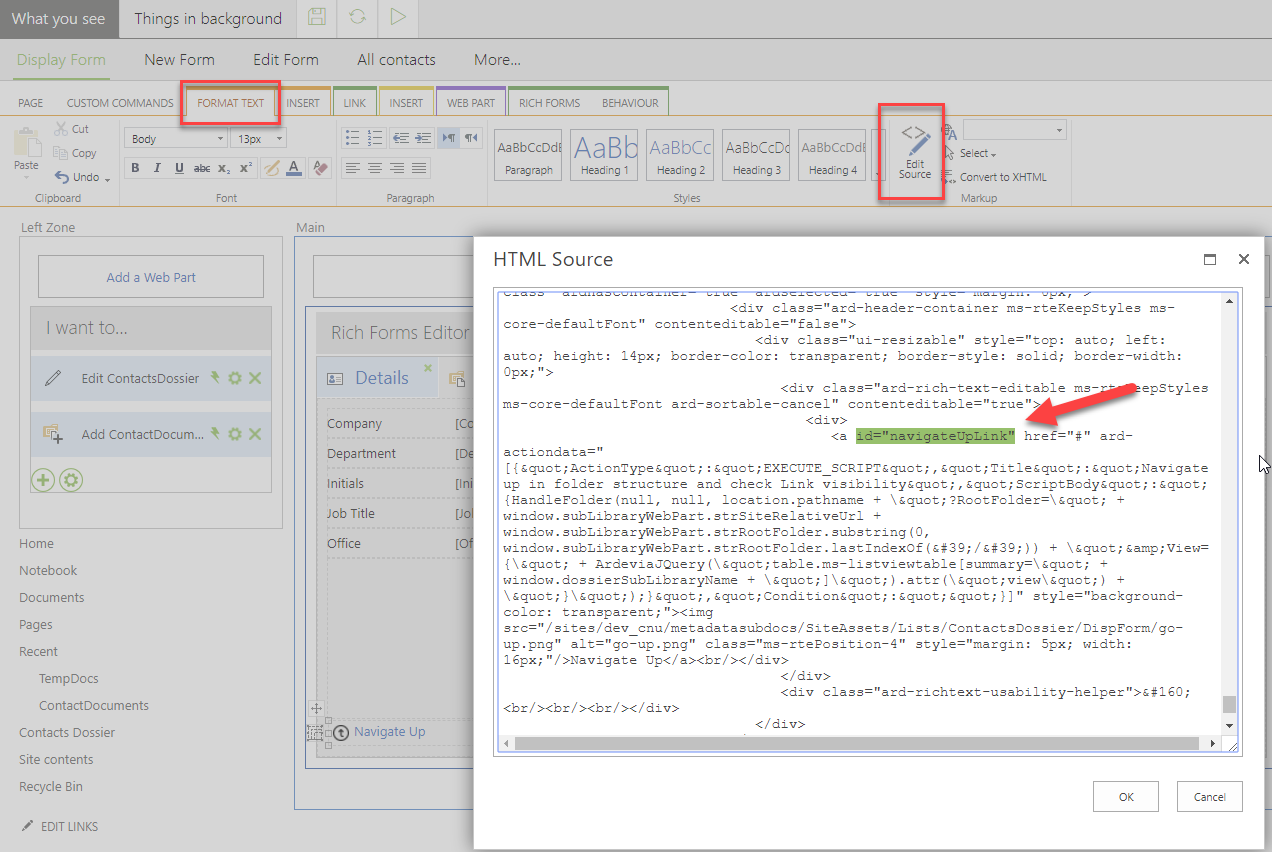
Button/Link Action
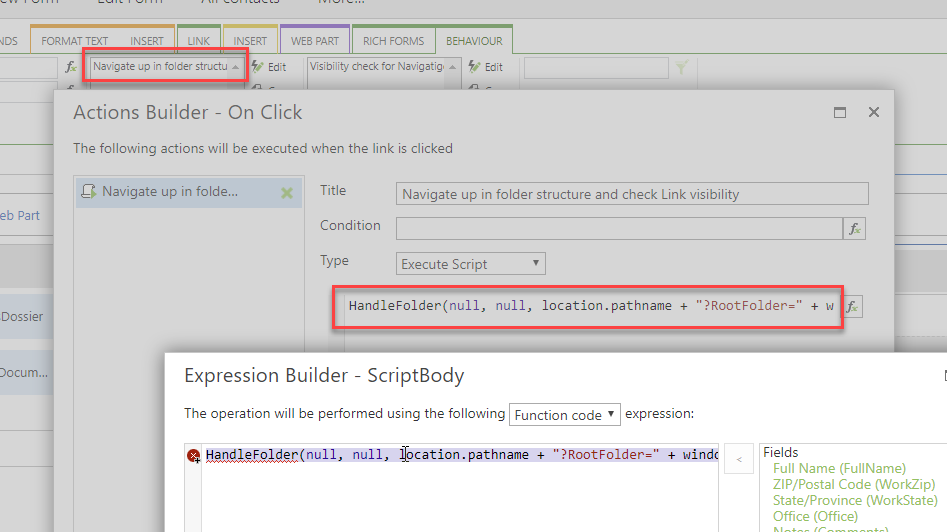
Function code:
HandleFolder(null, null, location.pathname + "?RootFolder=" + window.subLibraryWebPart.strSiteRelativeUrl + window.subLibraryWebPart.strRootFolder.substring(0, window.subLibraryWebPart.strRootFolder.lastIndexOf('/')) + "&View={" + ArdeviaJQuery("table.ms-listviewtable[summary=" + window.dossierSubLibraryName + "]").attr("view") + "}");Add the following id attribute to your new created link to identify it: id="navigateUpLink"
 0
0 -
Updated
An updated version of this solution can be found here: How to configure a "Navigate Up" link/button for sublibraries on forms
0
Please sign in to leave a comment.
Comments
2 comments