Increment number field in sublist

Hi everyone
I have a credit card expenses form which contains a sublist where the user enters all the items they've bought. I want the Item No field to automatically populate so the first row is 1, the second 2 and so on. However, I'm having trouble getting this to work.
I tried using [[@SubLists.Credit_Card.Item_x0020_No.Max]]+1 but this continually adds 1 to the field as the max value is also always changing. I also can't use the ID field of the sublist as this wouldn't start at 1 for each new form.
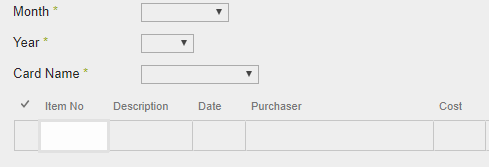
I'd be grateful if someone could let me know if this is possible? If it's not I'll just have to get the users to enter the item number manually but ideally would rather it was done automatically.
Thanks for your help in advance.
-

Hi Gareth Jayne
I suspect [[@SubLists.Credit_Card.Item_x0020_No.Max]] gives you the max of saved items. Since these items in grid aren't saved at this time, it will return not the item count you expect.
Did you already tried to use a window variable for your counter?
Just get the max one time, save it to the window variable and use it in your expression.
0 -
Found a solution. The key is not to get the max in the expression on sublistcolumn itself, since this triggers an endless loop (get calculated max of item's values you're changing right now).
In the end it's not much code. Just configure these two expressions:
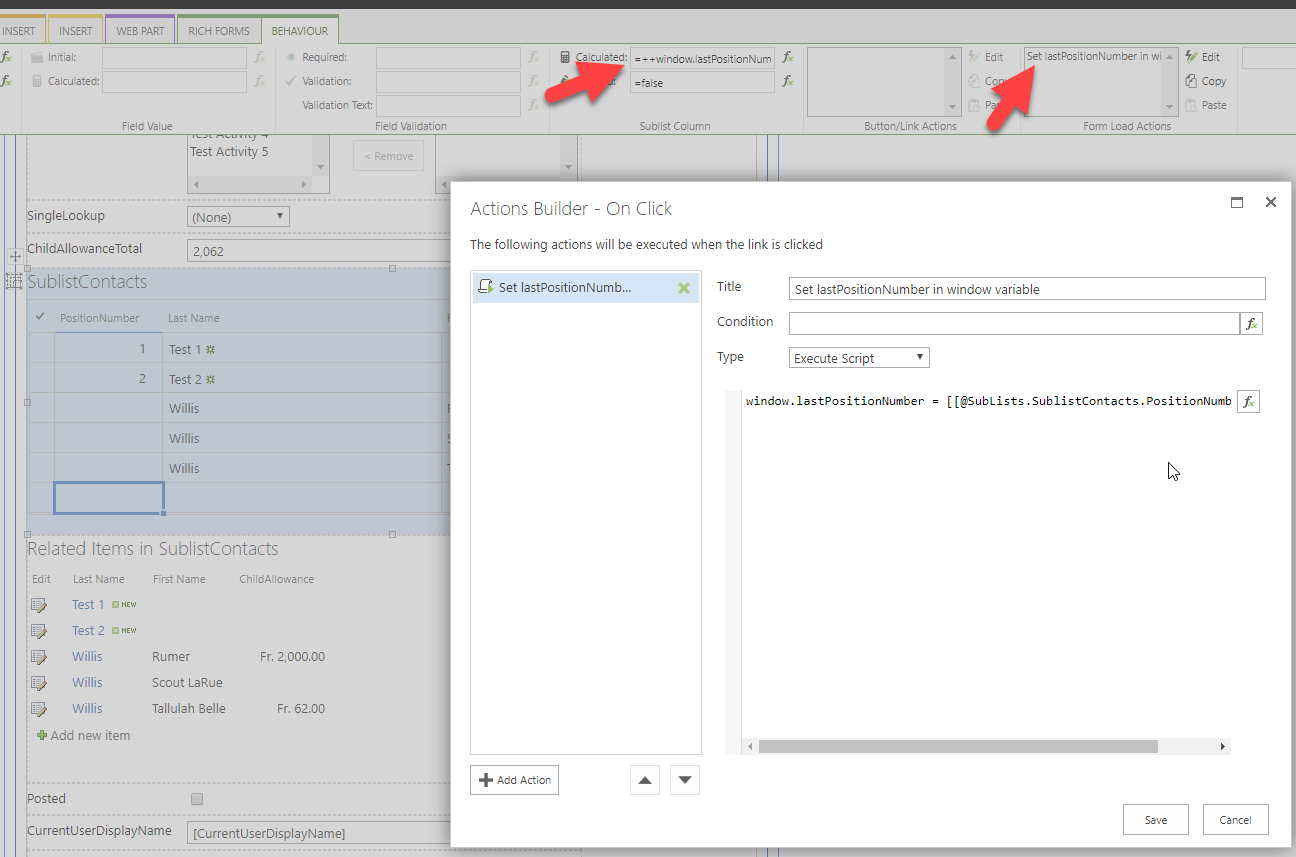
Form Load Action Excute Script expression code:
window.lastPositionNumber = [[@SubLists.SublistContacts.PositionNumber.Max]];Calculated Assignment expression on Sublist column:
++window.lastPositionNumberDid not find out why the numbers are shown with two decimals... after saving all is fine...
0 -
Hi Christof
Thank you very much. As you say, that's a bit weird with the decimal places especially as I've set that field explicitly to be 0 decimals, however your code does exactly what I need.
0
Please sign in to leave a comment.
Comments
3 comments