How to disable the "more options" ellipses?

How do I disable the "more options" ellipses menu in a SharePoint view?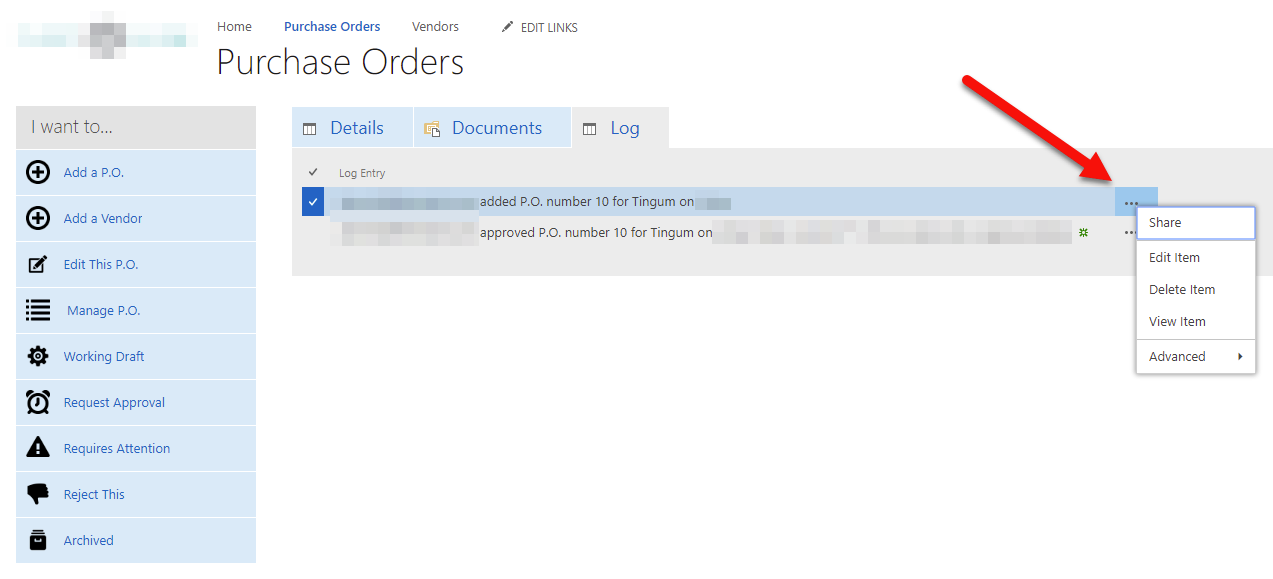
0
-

Hi Michael Cummins,
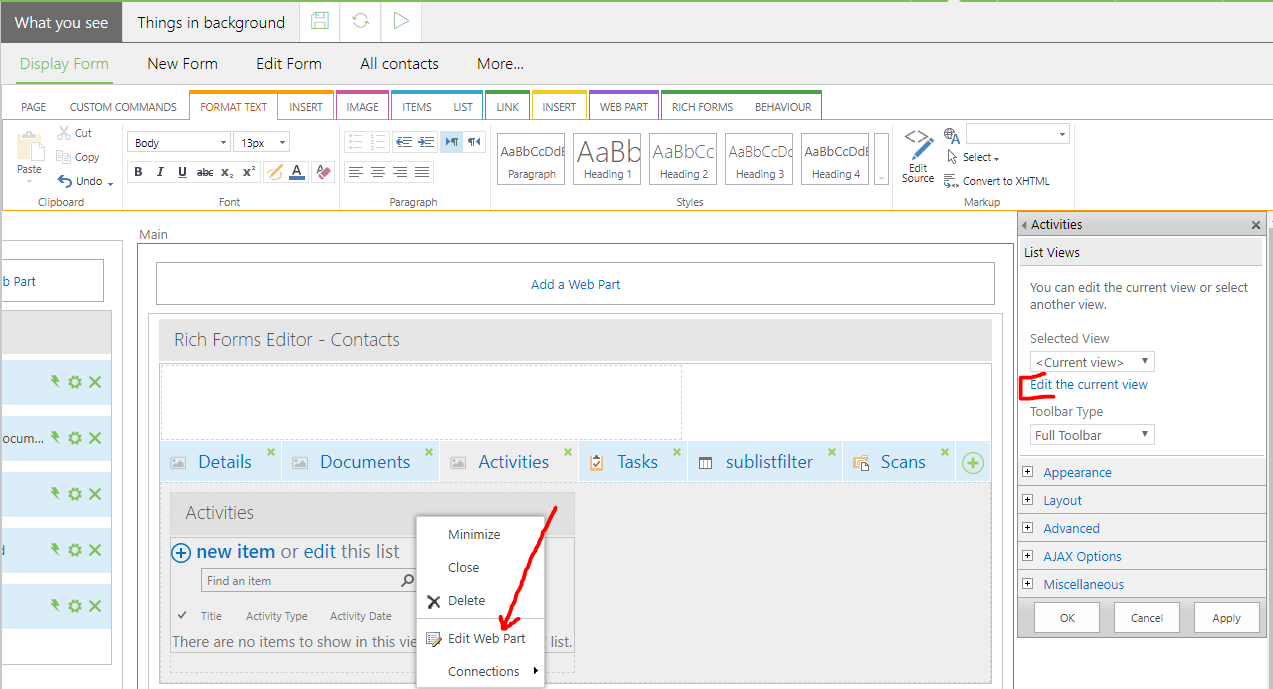
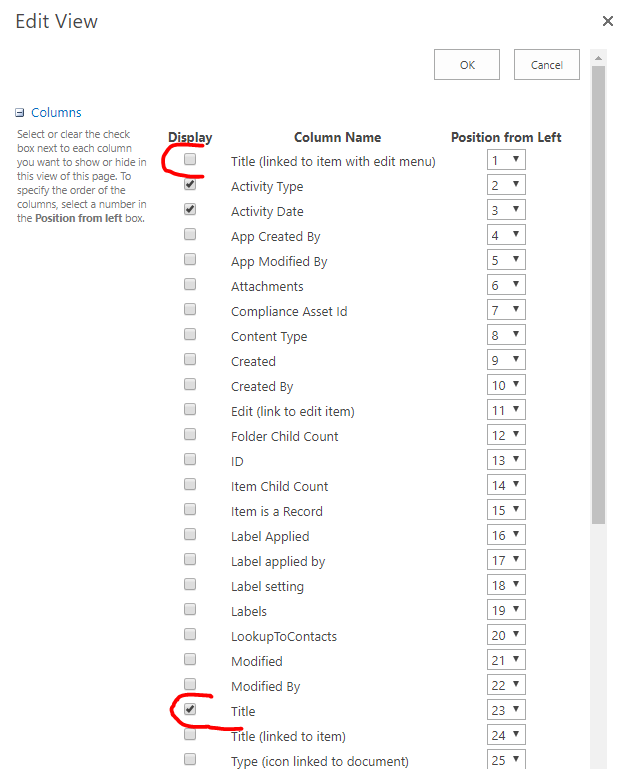
since we are using standard list views you can simply edit the webpart and choose the plain title field instead of the one with the toolbox:
Cheers
Matthias
0 -
Perfect, thanks!
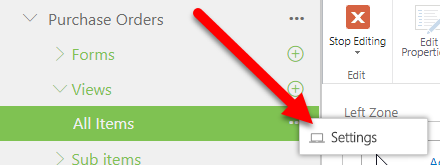
For some reason I can never edit it that way, it never loads. It works every time if I go to "settings" on the solutions studio navigation, however.
 0
0 -
Great thanks for the feedback. It's good that it works for you like this.
Isn't the panel just on the right side using a scroll bar?
Views on the display form are hidden copies of those views. So editing this will not be reflected on the display form.
0
Please sign in to leave a comment.
Comments
3 comments