Hide explanatory text for richtext fields

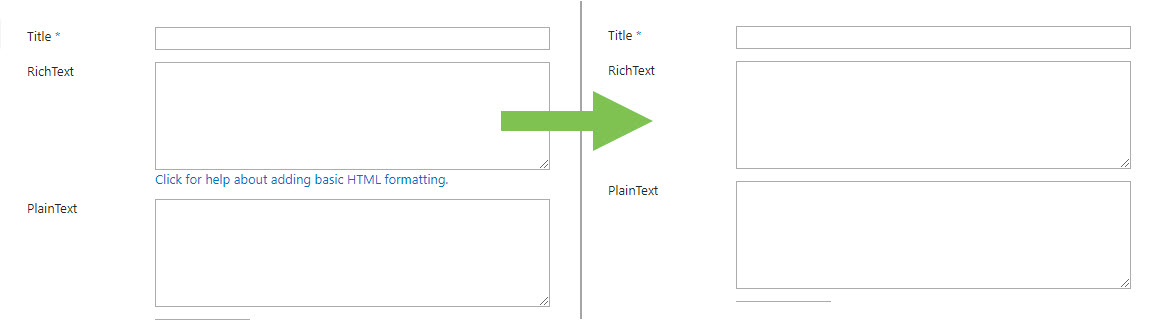
Using RichText Fields in Modern Lists with Classic RichForm Forms, the RichText Fields are rendered with an explanation text at the bottom of each RichText Field. This consumes a lot of space.
If you want to hide this text, define a Form Load Action with an execute script action and use this script:
var myElements = document.querySelectorAll(".ms-formdescription a");
for (var i = 0; i < myElements.length; i++) {
myElements[i].style.display = "none";
}
-

Thank you for sharing this solution Tomislav Karafilov !
To additionally hide the leftover linebreak whitespaces you can add these lines.
var myElements = document.querySelectorAll(".ms-formdescription");
for (var i = 0; i < myElements.length; i++) {
myElements[i].style.display = "none";
myElements[i].nextElementSibling.style.display = "none";
} 0
0 -
Thanx for the hint Christof Nussbaumer!
Sadly it does not work with an image column, because the links are removed too. But in my app I am satisfied with my result.
0
Please sign in to leave a comment.
Comments
2 comments