Document Generation Loops and Design

Hi guys,
This question is regarding multi-choice field with checkboxs and document generator. I have looked into the documentation and I did not see (or maybe understand) anything that I could use to help the situation below described.
I have a question in a classic form that allows for a multi-choice answer. Like this:
Name of SP Field is FlavourType
Which of these 3 flavors ice-cream flavors would you like to have the recipe? These are the 3 options.
- Peanut Butter
- Vanilla
- Vodka Orange
The user can select one, two or three of the available options. They are rendered as checkboxes. The answer is then captured in a document using document generator.
The document with the variables is like this:
Begin Template
The recipes for ice-creams are:
[[if [FlavourType] == "Peanut Butter" ]]
- The recipe for Peanut Butter is Peanut and Butter and loads of sugar.
[[end if]]
[[if [FlavourType] == "Vanilla" ]]
- The recipe for Vanilla is Vanilla and milk and cream and loads of sugar.
[[end if]]
[[if [FlavourType] == "Vodka Orange" ]]
- The recipe for Vodka Orange is vodka, orange juice and loads of sugar.
[[end if]]
Enjoy your ice-cream
End Template
When the user chooses the option "Vanilla" the result will be
Begin Document
The recipes for ice-creams are:
(there is a huge gap here because the first option what not chosen)
The recipe for Vanilla is Vanilla and milk and cream and loads of sugar.
(there is a huge gap here because the third option what not chosen)
Enjoy your ice-cream
End Document
Two things that I need help with: Christof Nussbaumer
1 - How to create a loop of some sort to accommodate all options instead of creating all possible combinations? if the user chooses two flavors the [FlavourType] result will have two options and I will need to create a If statement to accommodate it.
Example: If the user selects flavors "Vanilla, Vodka Orange" then the options return on the field are
[FlavourType] = "Vanilla,Vodka Orange"
I will then have to create an If statement on the document like :
[[if [FlavourType] == "Vanilla,Vodka Orange" ]]
The recipe for Vanilla is Vanilla and milk and cream and loads of sugar.
The recipe for Vodka Orange is vodka, orange juice and loads of sugar.
[[end if]]
2 - Template design
In the example above there is a huge space between the text "Recipes for Ice-creams are:" and "The recipe for Vanilla is Vanilla and milk and cream and loads of sugar." This is because the first option was not selected and therefore will not show. I believe if there is the option to create a loop of some sort, this situation will be solved but in case there isn´t an option for that do you have any tips on how to solve it?
thanks for reading and for the help!
-

1 - To check if an option is selected in a multichoice field you can use count of indexOf function on the field's result.
And to avoid an error if no option is selected (empty result) you have to additionally check against null first.In combination the If Condition in your document template should look like this:
[[if [[FlavourType]] !=null && [[FlavourType]].indexOf("Peanut Butter")>=0]]...[[end if]]2 - The lines works the wysiwyg way: each line break you have in document template will be rendered in generated document - except the linke breaks inside negative If Conditions for sure and this is the point: Place the line breaks inside the conditions.
In your case it works best with line breaks in front of texts and move the whole block one line up to prevent an unwanted space on top (note the places of paragraph marks).
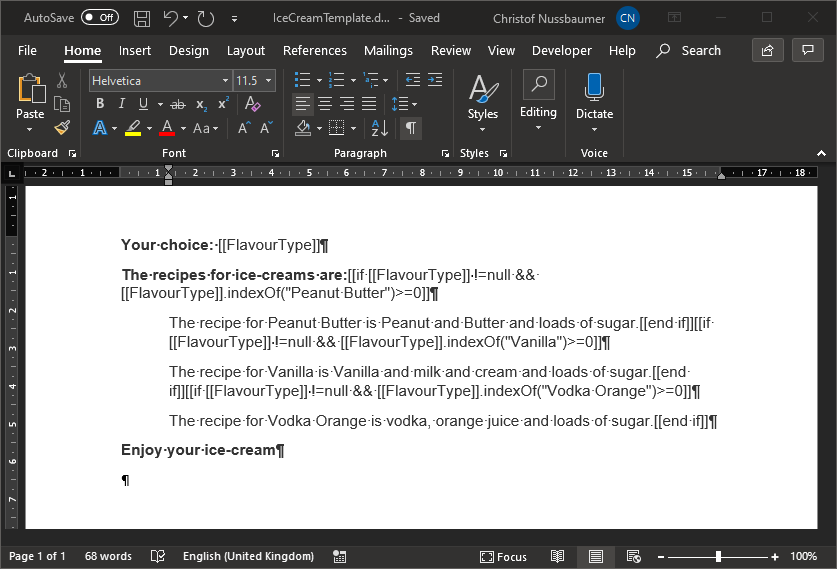
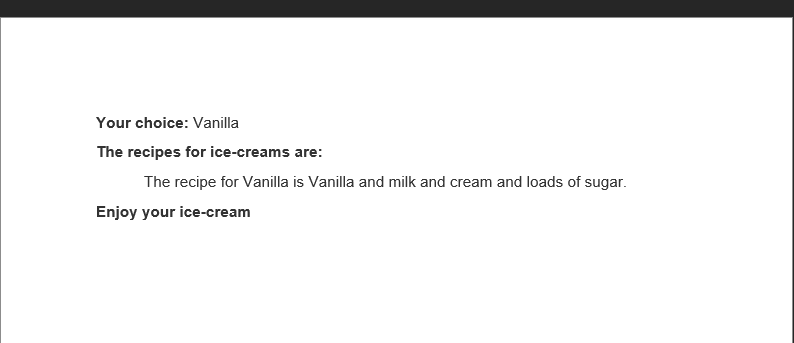
Your choice: [[FlavourType]]
The recipes for ice-creams are:[[if [[FlavourType]] !=null && [[FlavourType]].indexOf("Peanut Butter")>=0]]
The recipe for Peanut Butter is Peanut and Butter and loads of sugar.[[end if]][[if [[FlavourType]] !=null && [[FlavourType]].indexOf("Vanilla")>=0]]
The recipe for Vanilla is Vanilla and milk and cream and loads of sugar.[[end if]][[if [[FlavourType]] !=null && [[FlavourType]].indexOf("Vodka Orange")>=0]]
The recipe for Vodka Orange is vodka, orange juice and loads of sugar.[[end if]]
Enjoy your ice-cream
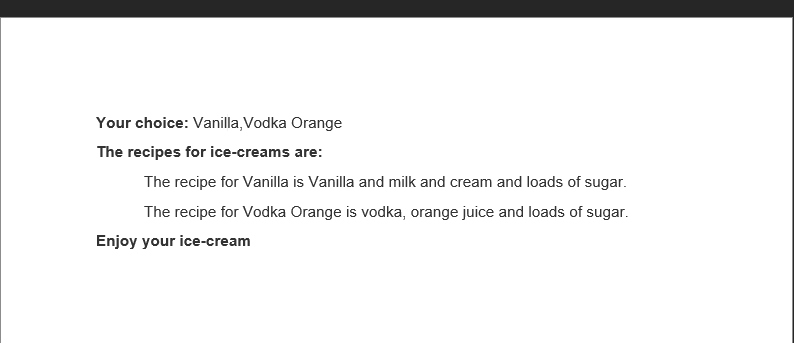
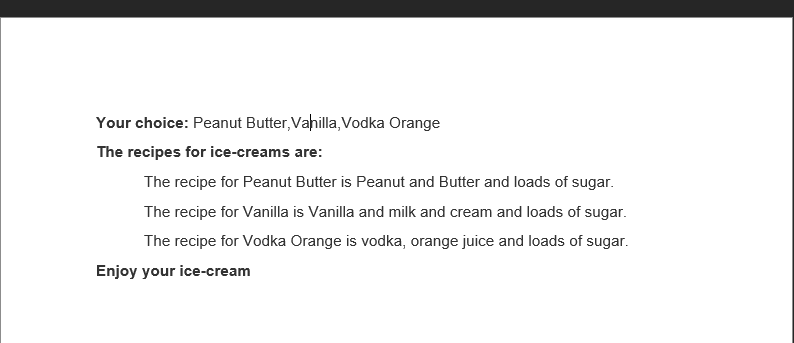
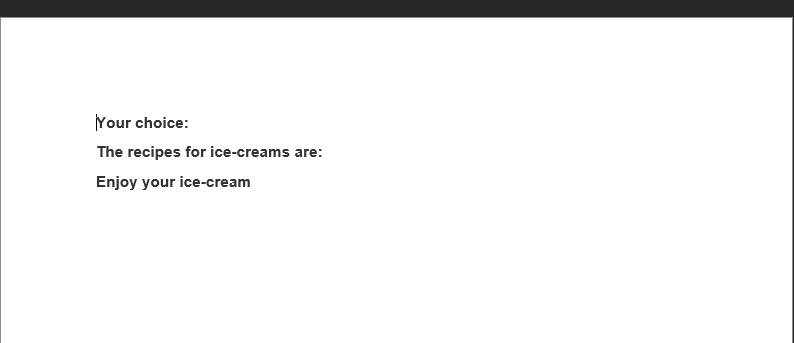
Results:
 0
0
Please sign in to leave a comment.
Comments
1 comment