Add date&time to another list - problem

Hi,
I have a problem with function Add List Item (field date&time) to another list with Button Action.
Lists are on the same page. My regional setings: UTC time zone and 24 hours time format.
If I add field from list A (defined as date and time) to list B (defined as text field) it does the job but time format in list B as 12h (AM/PM) (so from time 16:10 in list A is now 04:10 PM in list B).
If I add field from list A (defined as date and time) to list B (defined as date and time) it does the job but change time in a way that subtract 10 hour in PM (so from time 16:10 in list A is now 06:10 in list B), morning hour up to 12:00 works fine.
I need to use date and time format on both lists ant 24hr format.
Any idea how to fix this?
Ragards
Tadej
-

Hi Tadej Cajner,
I can reproduce your first case where you copy a date field to a text field that it will be in the 12 hours format again.
You can overcome this with the following function code expression:
var options = { hour12: false };
return [[DateTimeField]].toLocaleString([[@Page.UICultureName]], options);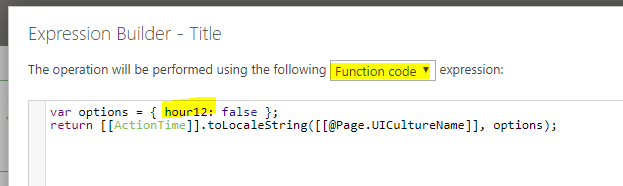
Unfortunately I cannot reproduce your second case where you copy a date/time field into another date/time field in another list. (tested with skybow Rich Forms 3.1.27.22)
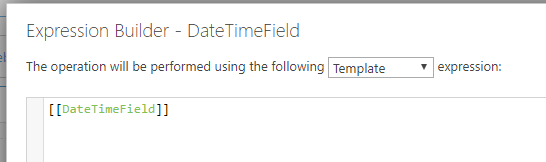
Can you please send me screenshots of your button action configuration?
Kind regards
Matthias
0 -
Hello Matthias,
I figure it out with a help from this thread:
Copy Date with Format Assignment
so I put in Function code:
return [[field name]].format ("dd.MM.yyyy HH:mm");
the catch was in HH hour format (HH not hh).
Best regards,
Tadej
0
Please sign in to leave a comment.
Comments
2 comments