Dynamic user-configurable column width in used views
Answered
Dynamic user-configurable column width in used views within a dossier, as available in SharePoint Modern Views.
Was already posted for Add-Ins 4 Years ago Field dynamic width – skybow Portal
2
-

With the styling possibility in Modern Forms there is another workaround for this requirement with custom styles:
- Create a new Style on the list control in Control Styles:

- Paste the below provided style manually into the input in the bottom of the new created style (first is for the column header width, second for column content width):
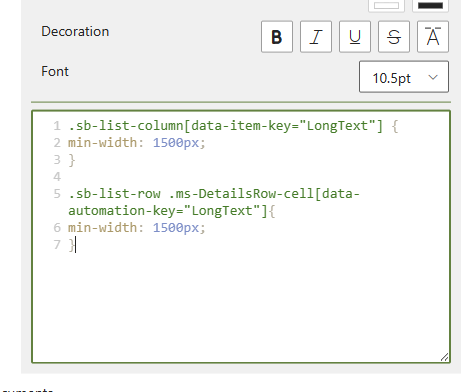
.sb-list-column[data-item-key="LongText"] {
min-width: 1500px;
}

.sb-list-row .ms-DetailsRow-cell[data-automation-key="LongText"]{
min-width: 1500px;
} - Replace LongText with your own column's internal name
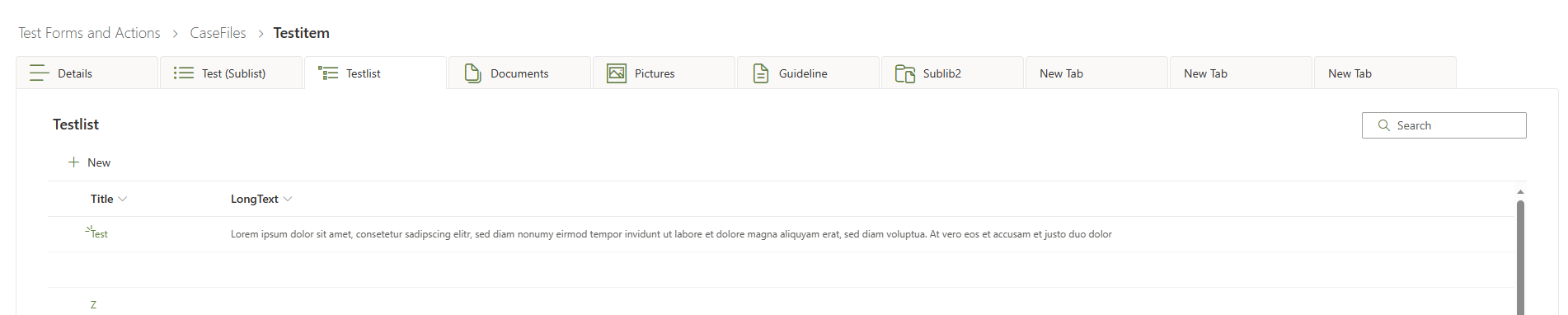
- Result:
This mentioned workaround isn't changing the status of this idea. The initial feature request asks for an easy way or editor to define the column's width.
1 - Create a new Style on the list control in Control Styles:
Please sign in to leave a comment.
Comments
1 comment